How Long to Get a First Ad Live, Tool by Tool
Every ad tool on the market says you can launch in minutes. We could not find one that published a stopwatch. So we ran the clock ourselves. On 30 and 31 July 2026 we created real accounts on Optmyzr and on Birch (formerly Revealbot), went as deep as each product would let us go without connecting a live ad account, and timed our own public demo the same way.
The headline: Birch let us in fastest — under two minutes to a logged-in screen — and then gated everything the product is known for. Optmyzr made us clear five qualification fields and an SMS wall, and then, unusually for this category, let us roam the entire application unconnected. AdFlint’s public demo required no account at all and produced a graded, rewritten ad in about 22 seconds.
Three different clocks, and only one of them gets advertised
“Launch in minutes” is doing a lot of work in marketing copy because it collapses three separate measurements. Keep them apart and the category gets much easier to read.
- Time to see the product. Signup to a logged-in screen with real UI on it. This is the number vendors mean.
- Time to a real ad. How long until something exists that you could actually judge — headlines, descriptions, a preview, a quality read. Almost nobody quotes this.
- Time to spending money. How long until budget starts moving through a live account. This one always requires OAuth, a payment method on the ad platform, and a human decision.
A tool can be excellent at the first clock and useless at the second. That gap is the single most useful thing to measure before you pay for anything, and it is what this teardown is about. If you want the wider feature-by-feature comparison instead, we keep that on best AI ad management software, and the shape of the category itself is on AI ad management.
What we did and did not measure
Being precise here matters more than the results. We created a trial account on each product, completed onboarding, and used whatever was reachable. We did not connect a live Google Ads or Meta account to Optmyzr or to Birch. Granting a third-party tool write access to a real ad account for the sake of a review is not a trade we were willing to make.
That means we did not measure time to first ad actually running for Optmyzr or Birch, and we cannot comment on their optimization quality, rule execution, or populated reporting. Anyone who tells you they benchmarked that in an afternoon is describing a screenshot, not a campaign. We also have not run sustained live ad spend of our own, so there are no performance numbers anywhere in this post — not ours, not theirs.
Optmyzr: five fields, then a phone wall
Optmyzr front-loads qualification. Before the product opens, the signup flow asks five mandatory fields about who you are and what you spend, and then it demands a phone number and an SMS code. There is no skip link on that screen.
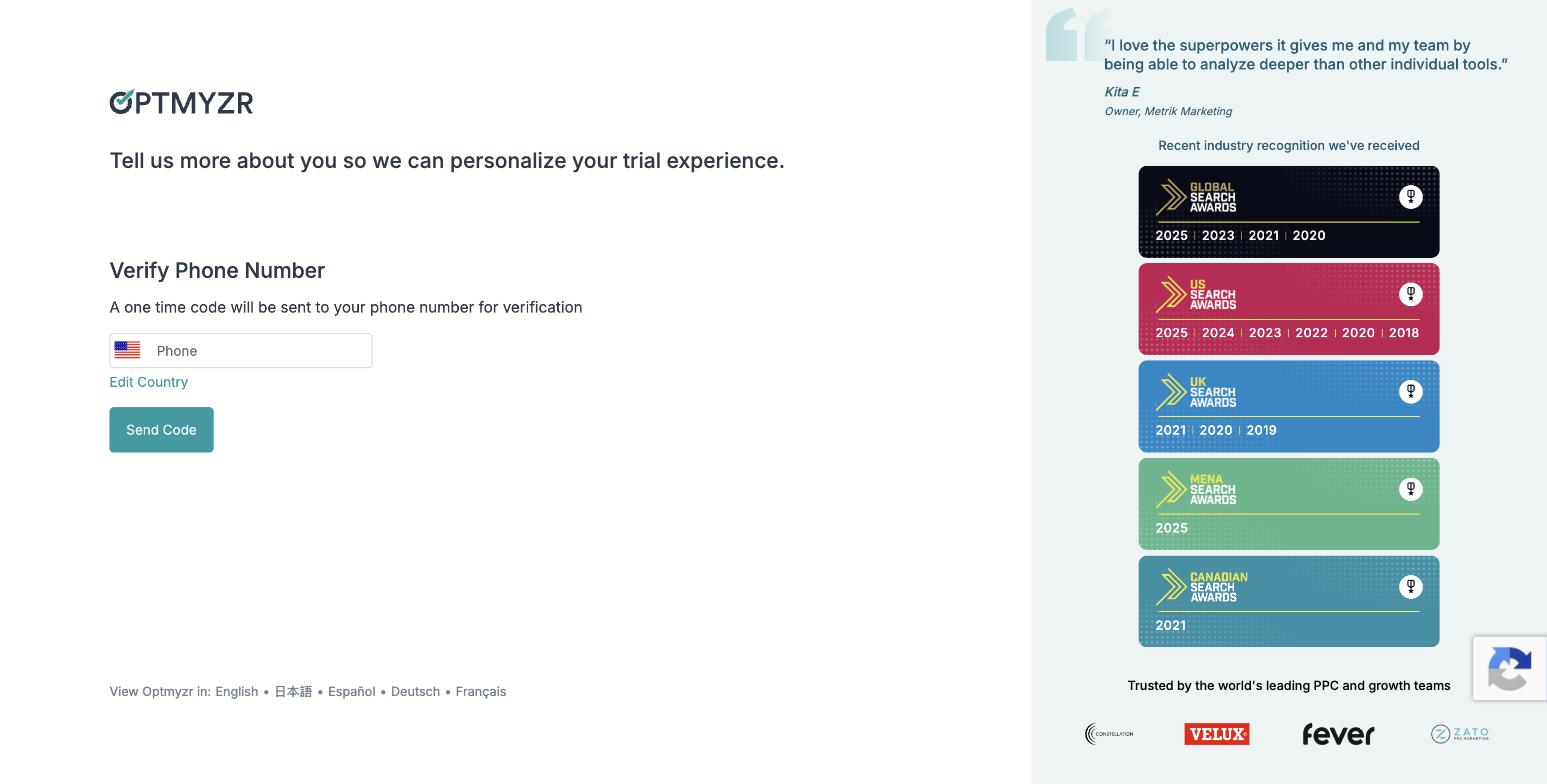
Optmyzr phone verification during signup. Captured 30 July 2026. No skip is offered.
We are not going to publish a fake stopwatch number for this. Once a flow depends on carrier SMS delivery, wall-clock time stops being a property of the software. What we can report exactly is what it demands, in order:
- Five mandatory qualification fields, including monthly ad spend.
- Spend brackets that start at “Under $10,000/mo” and run to “$500,000+”. That range is a fair signal of who the product is priced for.
- Phone number plus SMS code. No credit card at any point.
- A five-step setup wizard after that. Step 2 makes you pick exactly three of ten goals.
- Step 3 offers three working modes: hands-on in the browser, on autopilot, or driven from Claude or ChatGPT over MCP.
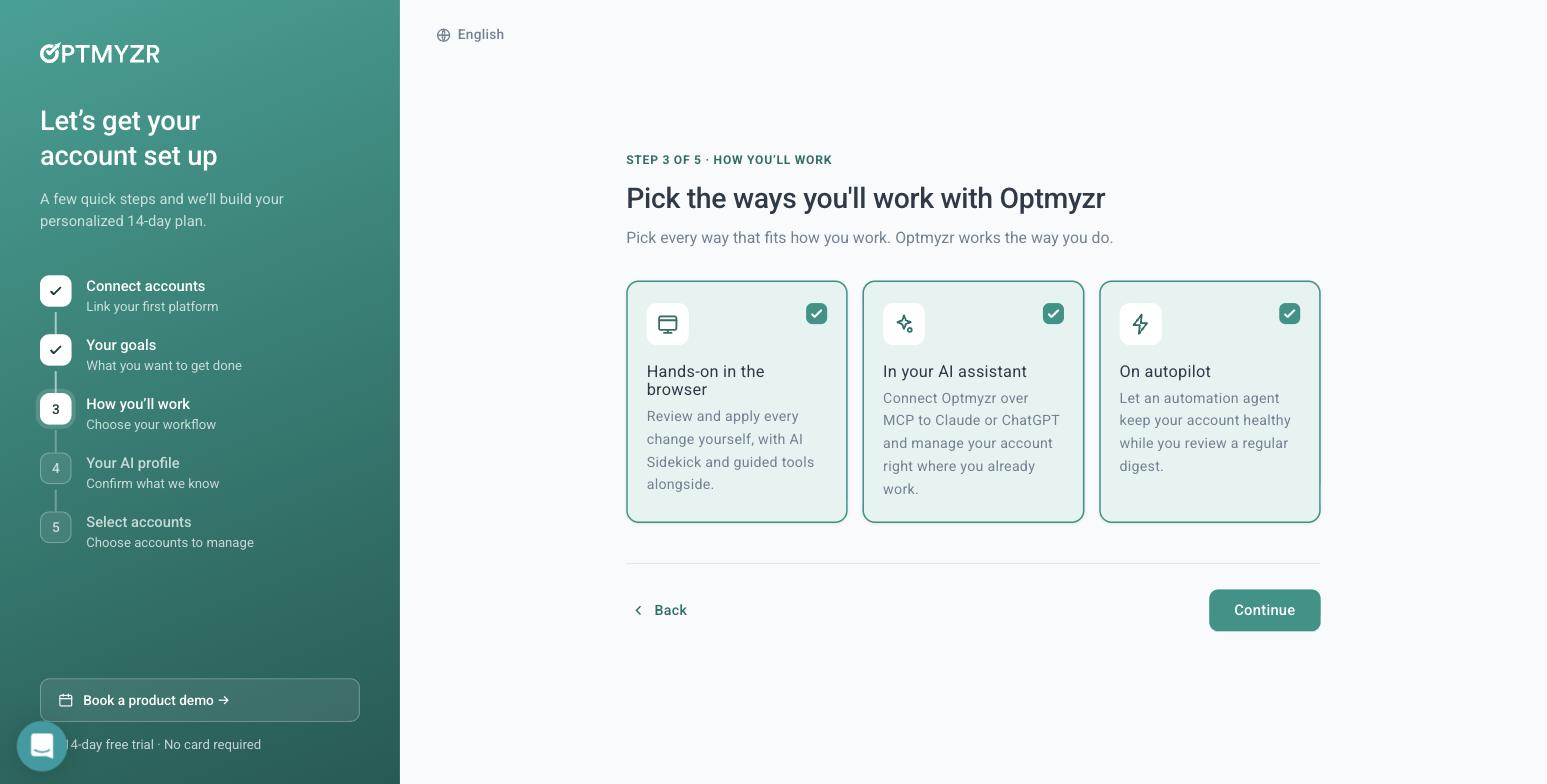
Optmyzr onboarding step 3. One of the three modes connects the product to Claude or ChatGPT over MCP. Captured 30 July 2026.
Step 4 offers “Generate profile from website.” We gave it adflint.com. In roughly ten seconds it returned the correct company name, a correctly classified industry, and an accurate paragraph naming our trial length, budget caps, 0% markup and five specific product features. Several of those live on deep pages, so it crawls more than the homepage. It was the most impressive ten seconds of the whole exercise. One piece of housekeeping while we were there: Optmyzr’s own published /free-trial/ URL 404s. We hit it directly.
Then the part that genuinely surprised us. Optmyzr let us into the full application with no ad account connected at all, and said so out loud.
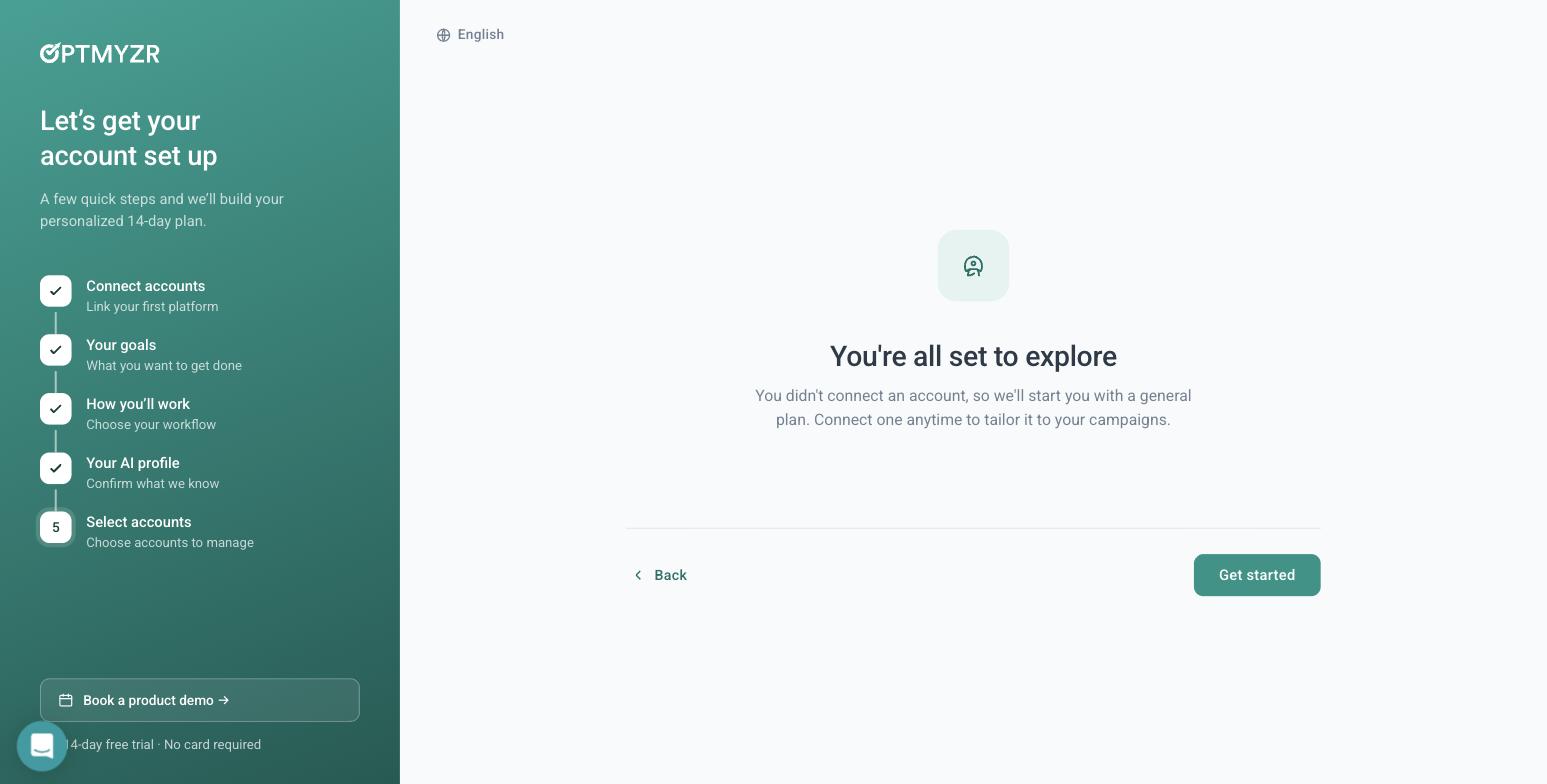
Optmyzr: “You didn’t connect an account, so we’ll start you with a general plan.” Captured 30 July 2026. Rare in this category.
Unconnected, its Sidekick 6.3 assistant answered a real bidding question — Maximize Conversions versus Manual CPC — correctly, with an “AI can make mistakes” disclaimer attached. The full tool catalogue was browsable, including a Rule Engine with pre-built strategies spanning Google, Microsoft and Amazon Ads. But every tool that would actually touch a campaign bounced us back to the All Accounts screen. So: assistant open, catalogue open, anything that moves money closed. That is a defensible line, and it is a lot more product than most vendors will show a stranger.
Two smaller facts we wrote down. Optmyzr lists 11 connectable platforms: Amazon Ads, Amazon Seller Central, Meta, LinkedIn, Google Ads, Google Analytics, Google Merchant Center, HubSpot, Microsoft Ads, Search Ads 360 and Yahoo Japan. And the in-product trial banner counted 15 days while the marketing site said 14.
Birch (Revealbot): under two minutes, then a wall
Birch is the opposite shape. Signup to the connect-account screen took under two minutes. No phone, no credit card, two short onboarding steps. On raw time-to-a-logged-in-screen it wins this comparison outright.
Then it stops. Birch gates on connecting a live ad account. There is no sandbox and no demo data. The rules engine — the thing the product is known for — is completely inaccessible until you hand over a real Meta, Google, TikTok or Snapchat account.
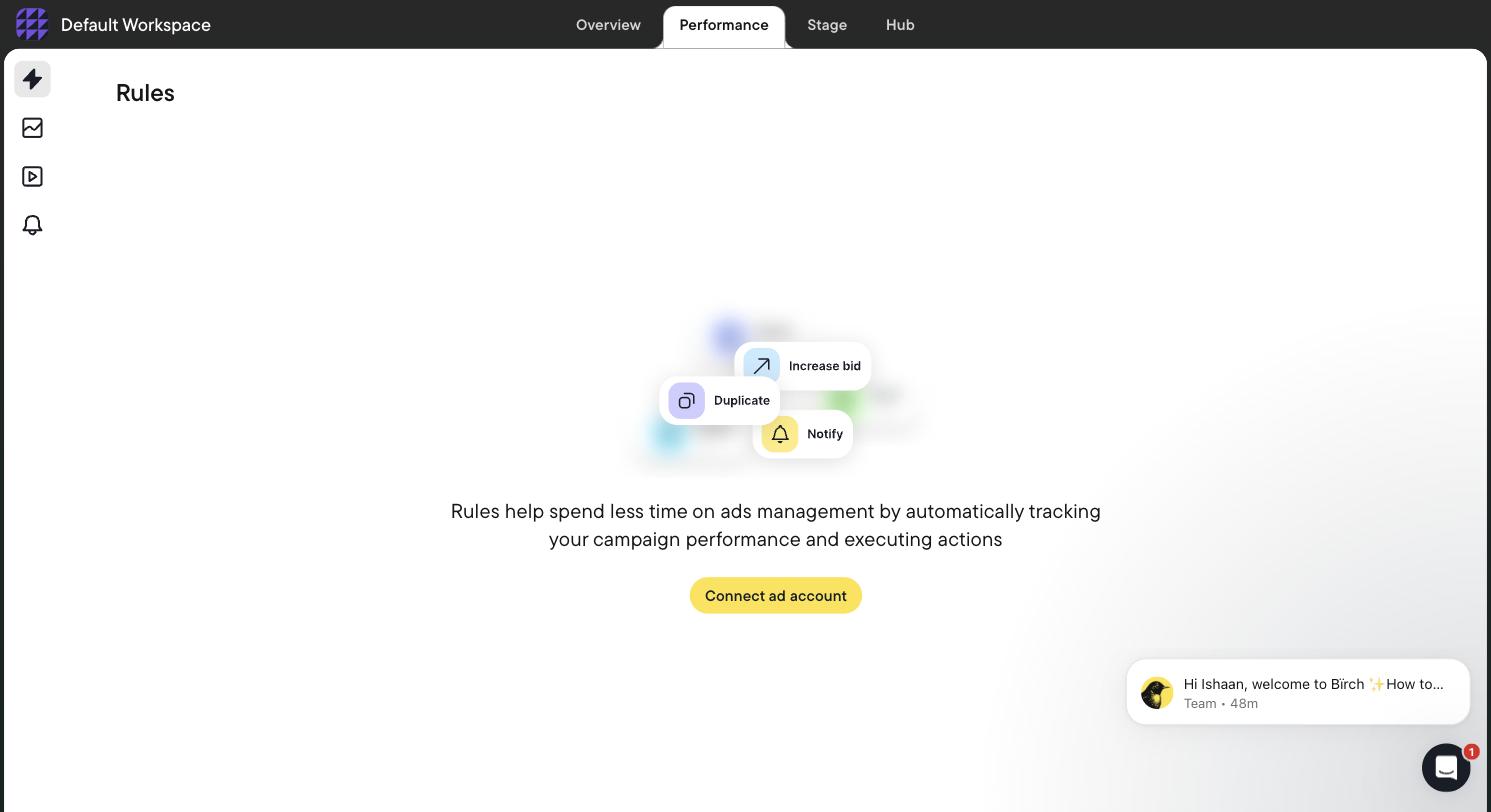
The Birch Rules screen, fully gated behind “Connect ad account.” Captured 31 July 2026.
Some housekeeping we ran into: in July 2026 revealbot.com and bir.ch/signup both returned 404. By 26 October 2026 revealbot.com redirected to bir.ch, while bir.ch/signup still returned 404. The working signup is app.bir.ch/signup. Birch is now three products — the rules engine, Stage (a planning Google Sheet plus Drive folders that bulk-builds ads for Meta, TikTok and Snapchat, with read-only Drive access), and Hub (a server-side first-party Signals Gateway). It lists 12 integrations: Meta, Google Ads and Google Drive, Snapchat, TikTok, YouTube, Google Analytics, Google Sheets, Slack, AppsFlyer, Adjust (beta), Hyros and Wicked Reports. The absences matter as much as the list: no Microsoft Ads, no Amazon, no LinkedIn.
The pricing detail nobody writes down
We read Birch’s in-app billing slider at every tier on 31 July 2026. Two things fall out of it. First, automated rules are not in the $49 Essential plan. Essential gets you workspaces, post boosting, reports, the activity page, Slack and email support. Automation, Explorer, Launcher, Stage, custom audiences and the Sheets, AppsFlyer and Hyros integrations are all Pro-only. Second, pricing is spend-tiered, so the entry price is a function of how much you already spend.
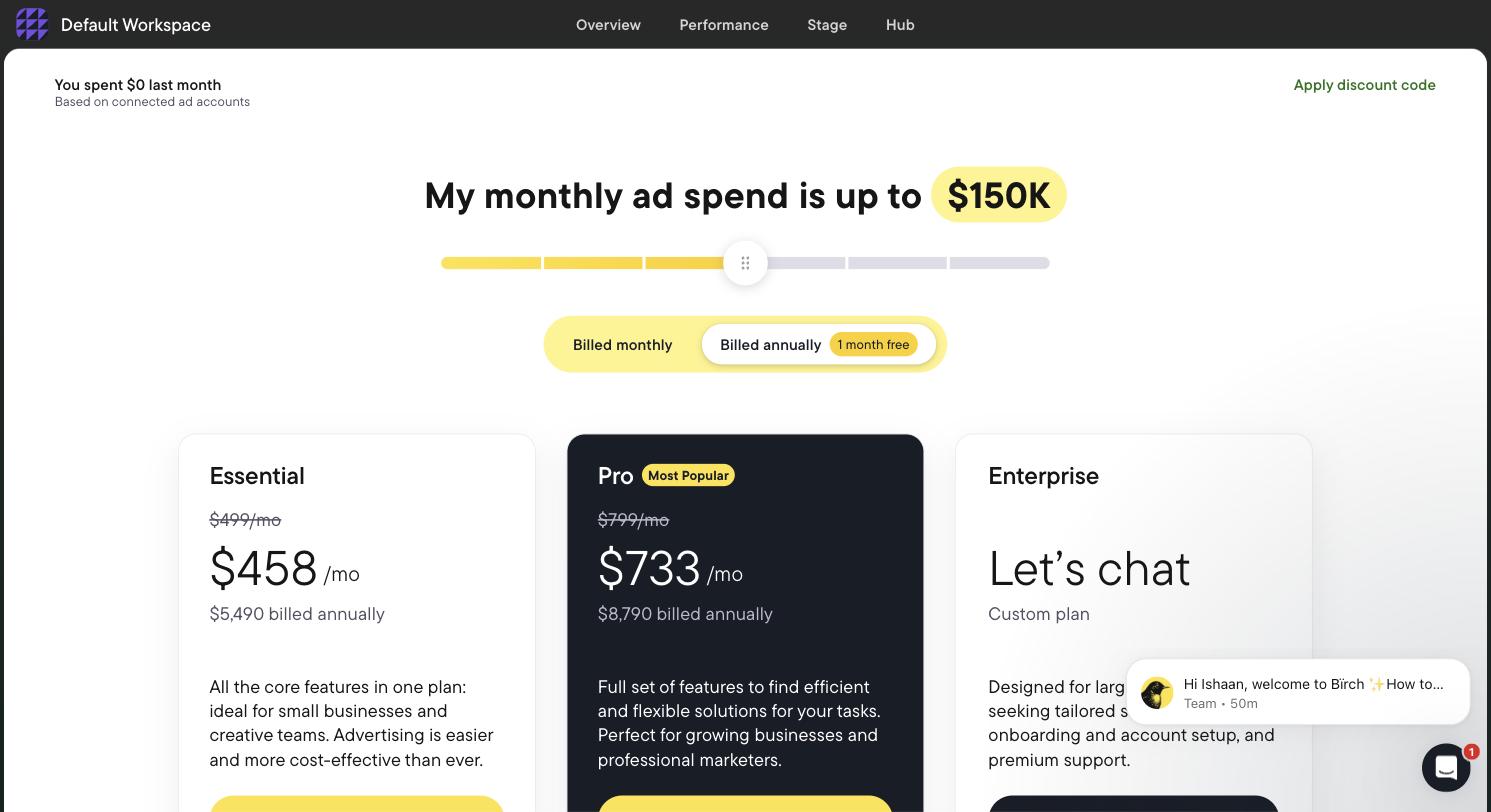
Birch in-app billing at the up-to-$150K spend tier. Captured 31 July 2026.
| Monthly ad spend | Essential | Pro (rules included) | Annual (Essential / Pro) |
|---|---|---|---|
| Up to $10K | $49/mo | $99/mo | $540 / $1,090 |
| Up to $30K | $149/mo | $249/mo | $1,640 / $2,740 |
| Up to $75K | $299/mo | $499/mo | $3,290 / $5,490 |
| Up to $150K | $499/mo | $799/mo | $5,490 / $8,790 |
| Up to $300K | Not offered | $1,299/mo | — / $14,290 |
| $500K+ | Enterprise only | Enterprise only | Custom quote |
Read off Birch’s own in-app billing page, 31 July 2026. Annual is twelve months for the price of eleven. Overages are billed through Stripe if your spend passes your tier. The trial is 14 days with full features, and on expiry rules and reports are disabled rather than deleted.
So the real entry price for someone who arrived for the rules engine is $99/mo, not $49 — and it climbs with your spend, not with your seats. Any “Revealbot from $49” summary is misleading for that exact buyer. We broke the ladder down further on Revealbot alternatives.
AdFlint: no account, about 22 seconds
Our own product, so read this section with that in mind. The demo on adflint.com is public and needs no account, no email and no phone. We typed “mobile detailing in Los Angeles” and timed it.
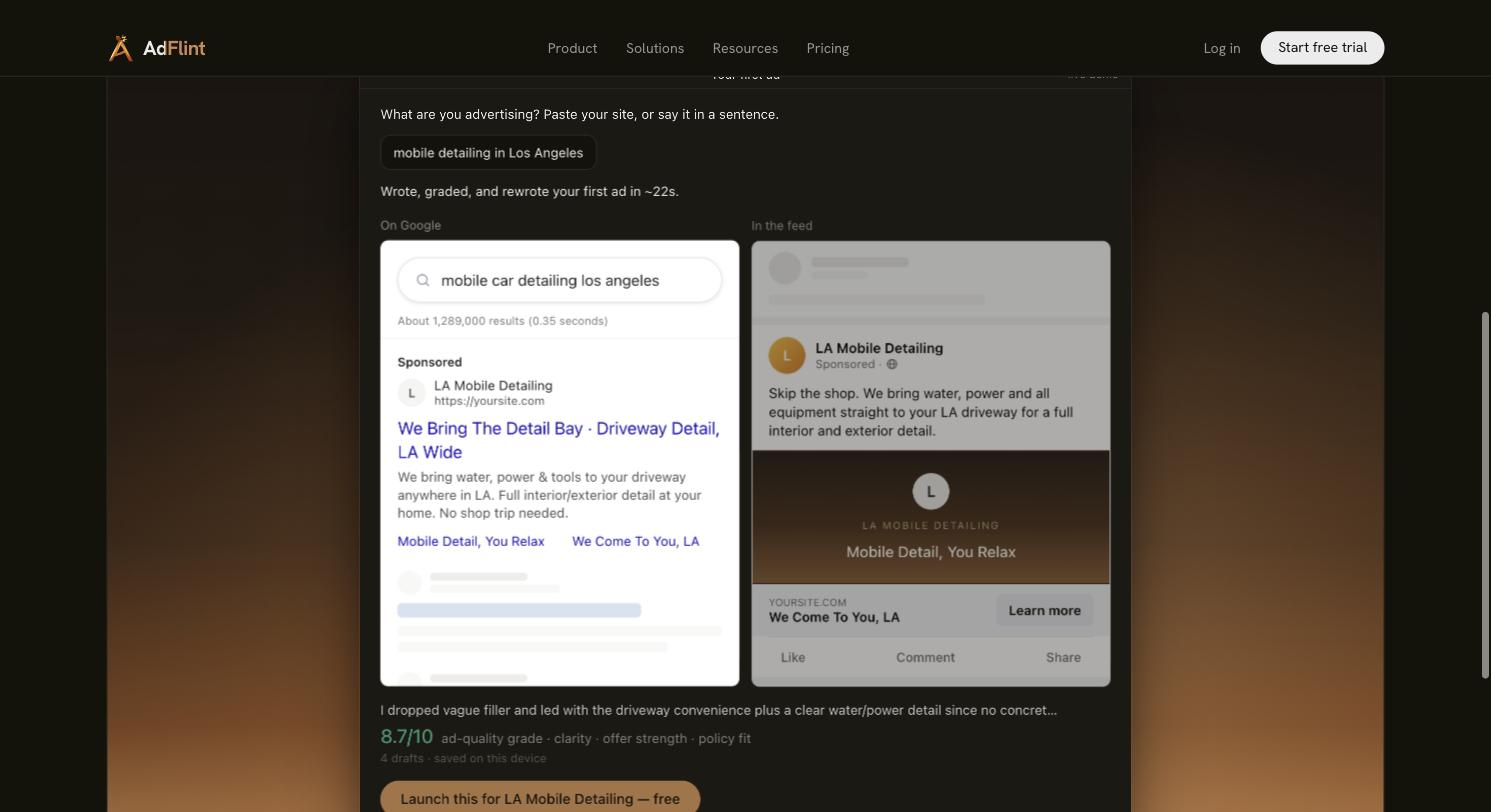
The AdFlint public first-ad demo. One input, about 22 seconds, four drafts, a Google search ad and a Meta feed ad preview, self-graded 8.7/10 on clarity, offer strength and policy fit. Captured 31 July 2026.
Be clear about what that 22 seconds is and is not. It is time to a real, gradeable ad: written, scored against clarity, offer strength and policy fit, and rewritten across four drafts, with both a Google and a Meta preview. The grade is our own model grading its own output, which is worth exactly as much as you think it is. It is not a live-serving ad. Money only moves after you connect your own ad account over OAuth and set a budget cap, and we did not stopwatch that flow for this test. The full sequence is on how it works.
The other facts you would need to compare it fairly: 7-day free trial on monthly plans, hard budget caps, 0% markup on self-serve ad spend, Google and Meta only, and self-serve plans that cover up to $30,000/mo of ad spend, with custom pricing above that. You keep ownership of the ad account; we connect to it, we do not pool customers into a provider-owned account. What the product does after launch is on AI ad management, and prices are on pricing.
The comparison table
| Measurement | Optmyzr | Birch (Revealbot) | AdFlint |
|---|---|---|---|
| Demanded before you see anything | 5 qualification fields, phone number, SMS code | Email signup, 2 onboarding steps | Nothing. The demo is public |
| Credit card to start | No | No | No card for the demo |
| Time to a logged-in screen | Not stopwatched — gated on carrier SMS | Under 2 minutes to the connect screen (measured) | No signup step at all |
| Time to a real, gradeable ad | Not reachable unconnected — campaign tools gated | Not reachable unconnected | About 22 seconds (measured) |
| Time to spending money | Not measured by us | Not measured by us | Not measured in this test |
| Usable with no ad account connected | Partly. Assistant and tool catalogue yes, campaign tools no | No. Rules engine fully gated | Yes, for drafting and grading |
| Platforms listed | 11, including Amazon, Microsoft Ads, LinkedIn | 12, no Microsoft, no Amazon, no LinkedIn | Google and Meta |
| Cheapest plan with automation | Not priced in-product during trial | $99/mo Pro, at up to $10K spend | See pricing page |
| Trial | In-product banner counts 15 days; marketing says 14 | 14 days, full features; on expiry rules are disabled, not deleted | 7 days |
Everything in that table is either something we did or something we read off the vendor’s own screen. The blank cells are the honest part.
What the gate you hit tells you about the product
Where a tool stops you is a better signal than any feature list, because it tells you who the product was built for.
- A phone wall before the UI means the company qualifies leads before it demos. That is a sales-assisted motion, usually aimed at agencies and larger in-house teams. Optmyzr’s spend brackets confirm it.
- A connect-account gate with no sandbox means the product assumes you already run campaigns. Birch is a control layer over accounts you have, not a way to get your first ad written. That is a legitimate design; it is just a bad match for a first-timer. If that is you, the honest starting point is a tool that writes the first ad — see PPC software for small business.
- Spend-tiered pricing means your bill grows with your budget whether or not the software does more work. Worth modelling before you commit.
- No gate at all means the product can generate something from a single sentence of input. It also means the vendor is exposed: the output is public, so it had better be good.
There is a second-order point about access. Optmyzr’s optional manager-account link dialog makes you type CONNECT, warns that Google auto-emails everyone with account access, and states plainly that it is not recommended for agencies without explicit client approval. That is good practice, and it is worth understanding what an MCC link actually grants before you click through any of these flows. Our own position on access is on security, and the wider pattern of who holds the keys is on managed ad accounts explained.
How to run this test yourself, in order
Twenty minutes per tool. It will tell you more than a month of reviews.
- Start a timer at the signup button. Do not stop it for the onboarding wizard.
- Write down every mandatory field. Count the ones that qualify you rather than configure the product. That ratio is the sales-pressure score.
- Note whether a phone number or a card is required, and whether either can be skipped. If SMS is involved, stop treating the clock as a software measurement.
- Check the spend brackets in the signup form. The lowest bracket tells you who the floor customer is.
- Stop the timer at the first screen with real product UI on it.
- Now start a second timer and try to produce one ad with no connected account. See how far you get.
- If you hit a gate, screenshot it. That screenshot is your answer for clock two.
- Ask the in-app assistant, if there is one, a bidding question you already know the answer to. A wrong answer unconnected is a wrong answer connected.
- Open the in-app billing page, not the marketing pricing page. Move every slider. Vendors change spend-tiered pricing more often than they update their own site.
- Check which features are excluded from the cheapest plan, then re-price the plan that actually contains the feature you came for. Birch’s automated rules are the cautionary example.
- Click every published trial or pricing URL from the vendor’s own marketing. Both products here had a 404 in that path.
- Read the account-connection dialog word for word before you accept it. Note whether it asks for read or write, and whether it wants a manager account or a single account.
- Only then connect, and connect the smallest, least important account you own.
Do the same on budget before you connect anything, with the ad budget calculator and the ROAS calculator. Knowing the number you can afford to lose changes which gates you are willing to walk through.
What we still do not know
We never connected a live account to Optmyzr or Birch, so their optimization quality, rule execution and populated reports are unmeasured by us. Both may be excellent at the work that starts after the gate. This post is about what happens before it.
And the limit on our side, stated plainly: we have no customer case studies, no client results and no performance figures for anyone, including ourselves. AdFlint’s own Google Ads manager account sits at $0 spend.
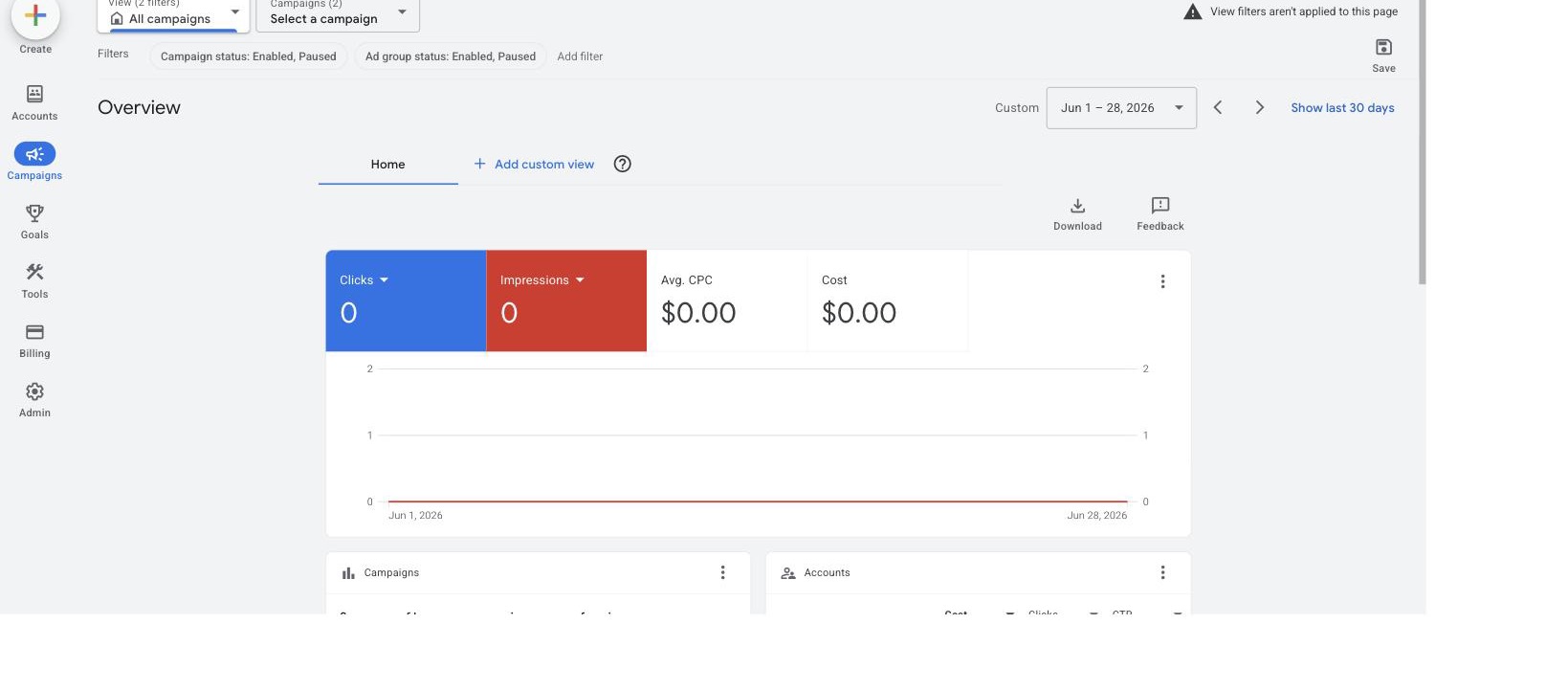
AdFlint’s own Google Ads manager account. It shows $0 spend. We have not run sustained live spend of our own, so there are no performance results in this post. Captured 31 July 2026.
The claim we will make is narrow and checkable: on 31 July 2026, the fastest path from “I have a business” to “I am looking at a graded ad” was a public demo that asked for nothing. If you want that path, AI ad management is where it starts, and it runs Google and Meta from one place with hard budget caps and 0% markup on self-serve ad spend. If you are starting small, the small business page is the better entry point, and our 2026 platform roundup covers the tools we did not time here.
Time the tools you are considering. Then ask each vendor which of the three clocks their “minutes” refers to. The answer is usually the first one.
Related guides
AI Ad Tool Pricing in 2026: What It Really Costs
Most AI ad tools bill on your ad spend, not the software. Birch's full spend-tiered ladder off its own billing slider, overage rules, and markup on ad spend.
AI Ad Automation: What to Let It Change, and Not
Let AI make bounded, reversible, spend-reducing changes alone. Require approval for anything that resets learning. Never automate a budget cap or category.
Google Ad Manager vs Google Ads: What's the Difference?
Google Ad Manager is for publishers who sell ad space; Google Ads is for advertisers who buy ads. A side-by-side table, a 30-second test and quick answers.
Compare the options
Skip the learning curve
AdFlint writes, launches, and optimizes Google and Meta campaigns inside the ad account you own — you approve every ad, and hard budget caps protect your spend. 7-day free trial.
Free tools: ad copy generator, ROAS calculator, budget calculator · ads by industry