AI Ad Tool Pricing in 2026: What It Really Costs
Most AI ad tools do not charge you for the tool. They charge you for how much you spend on ads. That is the single most important thing to understand before you compare prices in this category, and it is the thing almost every “best AI ad tools” roundup leaves out.
On 30 and 31 July 2026 we created accounts on Birch (formerly Revealbot) and Optmyzr, went through onboarding on both, and read Birch’s complete pricing ladder off its own in-app billing slider at every spend tier. Birch’s public pricing page also has a spend slider, and on 26 October 2026 its entry prices there ($49 Essential and $99 Pro, up to $10,000 of spend) matched what we recorded. Below it is, along with the two other pricing models you will run into, the overage rule that enforces them, and the cost line that never appears on a pricing page.
The three pricing models in this category
Almost every tool that touches your Google or Meta campaigns bills in one of three ways. They look similar on a pricing page and behave completely differently once your spend moves.
| Model | How the bill is set | What happens when spend doubles | Who it suits |
|---|---|---|---|
| Flat subscription | Fixed price per seat, workspace or plan | Nothing. The bill is unchanged | Stable spend, predictable budgeting |
| Spend-tiered | A ladder of price bands keyed to your monthly ad spend | You move up one or more bands. The bill can jump several hundred percent | Cheap for small accounts, punishing as you scale |
| Percentage of ad spend | A fixed percent of what you spend | The bill doubles too, exactly | Agencies and managed services |
Spend-tiered is the model to watch. It means your bill grows as your campaigns grow even when your usage of the tool does not. The same automation rules, running unchanged, cost more next quarter because your ad budget went up. You are not buying more software. You are buying the same software again at a higher price.
Attribution tools price on yet another basis: Triple Whale sets its price by your store’s yearly sales, on a 12-month subscription (Triple Whale pricing, checked October 2026).
Birch’s complete spend-tiered ladder
Birch is the rebranded Revealbot. We created an account at app.bir.ch on 30 July 2026 (that day revealbot.com and bir.ch/signup both returned 404; revealbot.com now redirects to bir.ch), and its billing page carries a slider for your monthly ad spend. Moving the slider changes the price of both plans. We recorded every position.
| Monthly ad spend | Essential (monthly) | Pro (monthly) | Essential (annual) | Pro (annual) |
|---|---|---|---|---|
| Up to $10,000 | $49 | $99 | $540 | $1,090 |
| Up to $30,000 | $149 | $249 | $1,640 | $2,740 |
| Up to $75,000 | $299 | $499 | $3,290 | $5,490 |
| Up to $150,000 | $499 | $799 | $5,490 | $8,790 |
| Up to $300,000 | Not offered | $1,299 | — | $14,290 |
| $500,000+ | Enterprise only | Enterprise only | Custom quote | Custom quote |
Read directly off Birch’s in-app billing slider, 30 July 2026. Annual pricing in the app that day was twelve months for the price of eleven. On 26 October 2026 Birch’s public page showed both “-20%” and “1 mo free” next to annual billing, so check the annual price before you prepay.
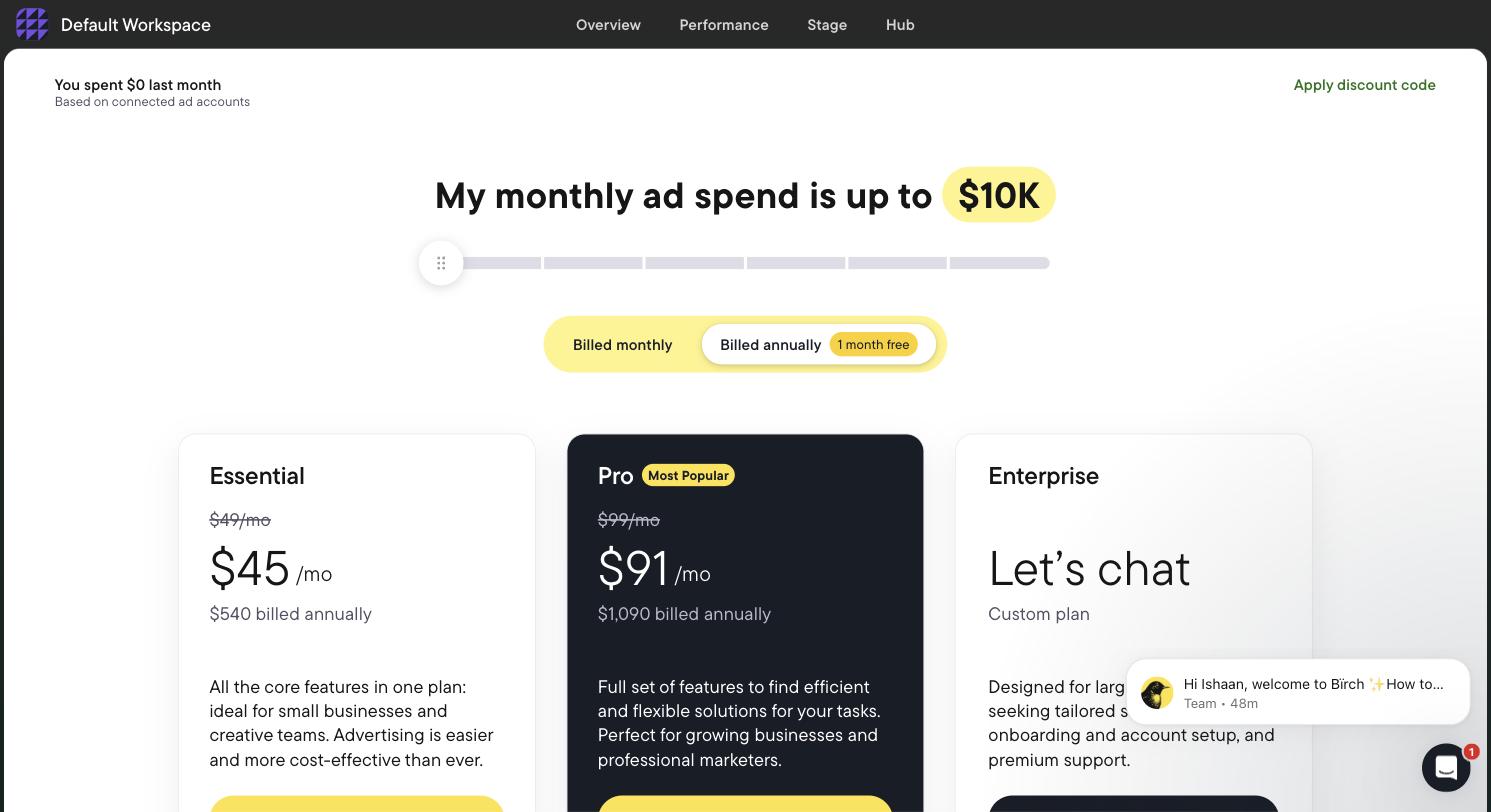
The entry rung: Essential $49, Pro $99. It holds only while monthly ad spend stays under $10,000.
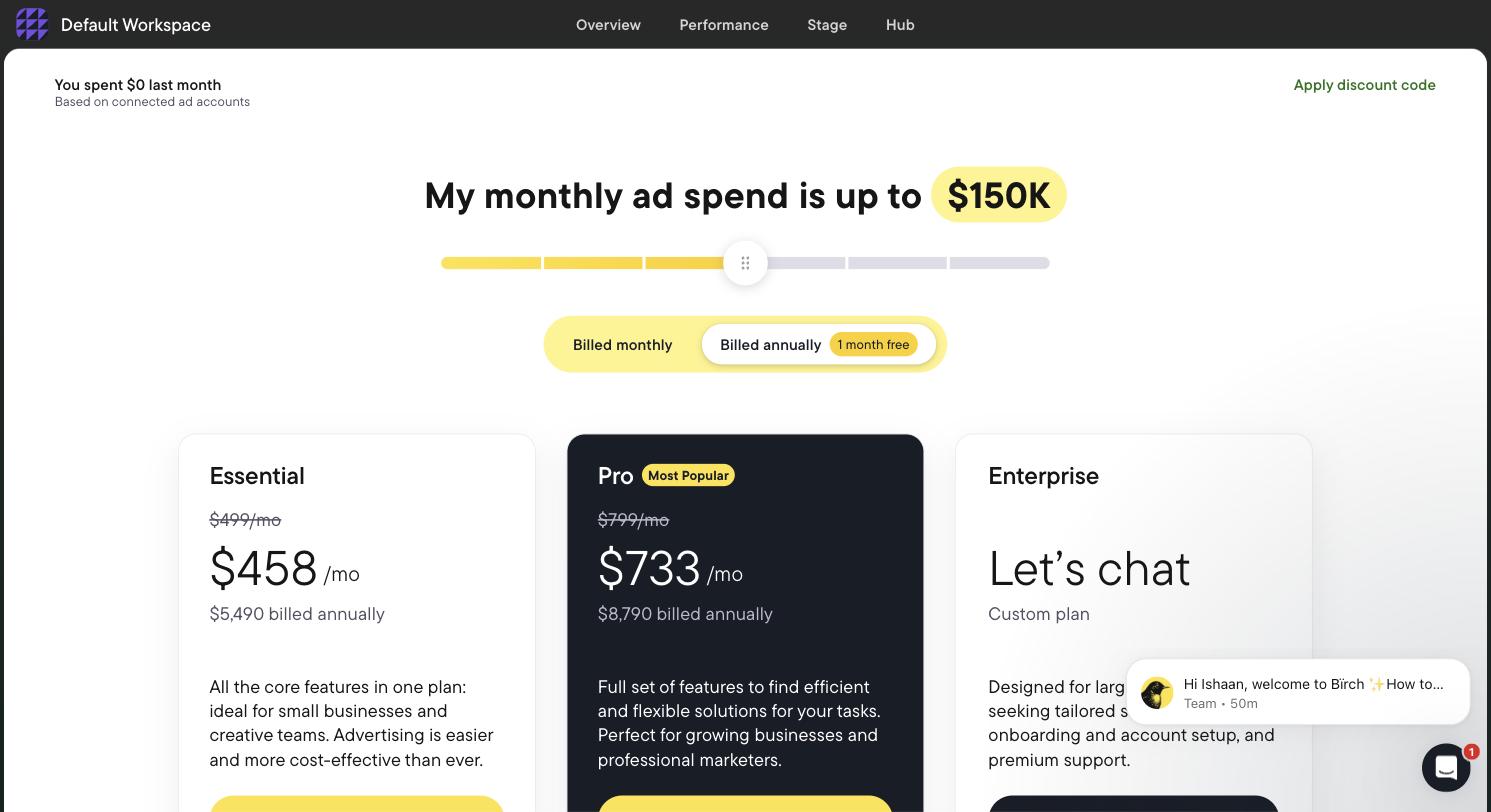
The same account and the same feature set, with the slider moved to the up-to-$150,000 band. Pro is now $799 a month.
Look at what that ladder does. A shop running $9,000 a month pays $99 for Pro. The same shop at $140,000 a month pays $799 for Pro. That is roughly an 8x increase in software cost for an account doing the identical job with the identical feature set. In the up-to-$300,000 band the Essential plan disappears from the slider entirely, so the only listed option is $1,299 a month.
One thing the higher rungs do buy is more than one product. Birch is now three: the rules engine it was known for, Stage (planning from a Google Sheet plus a Drive folder into bulk ads for Meta, TikTok and Snapchat), and Hub, a server-side first-party Signals Gateway. We saw all three in the product. We did not run any of them, because Birch gates execution behind a connected ad account.
The $49 trap: automated rules are not in the entry plan
This is the part that matters most and it is not in any roundup we found. Birch’s $49 Essential plan does not include automated rules. Rules are the reason most people arrive at Revealbot or Birch in the first place.
| In Essential ($49 at the entry tier) | Pro only |
|---|---|
| Workspaces | Automation (the rules engine) |
| Post boosting | Explorer |
| Reports | Launcher |
| Activity page | Stage (bulk ad creation) |
| Slack integration | Custom audiences |
| Email support | Google Sheets, AppsFlyer and Hyros integrations |
So the real entry price for the rules engine is $99 a month, not $49, and only while you stay under $10,000 of monthly spend. An article that says “Revealbot starts at $49” is technically accurate and practically misleading for the person who came for automation. If you are weighing this specific decision, our Revealbot alternatives breakdown covers what else fills that job.
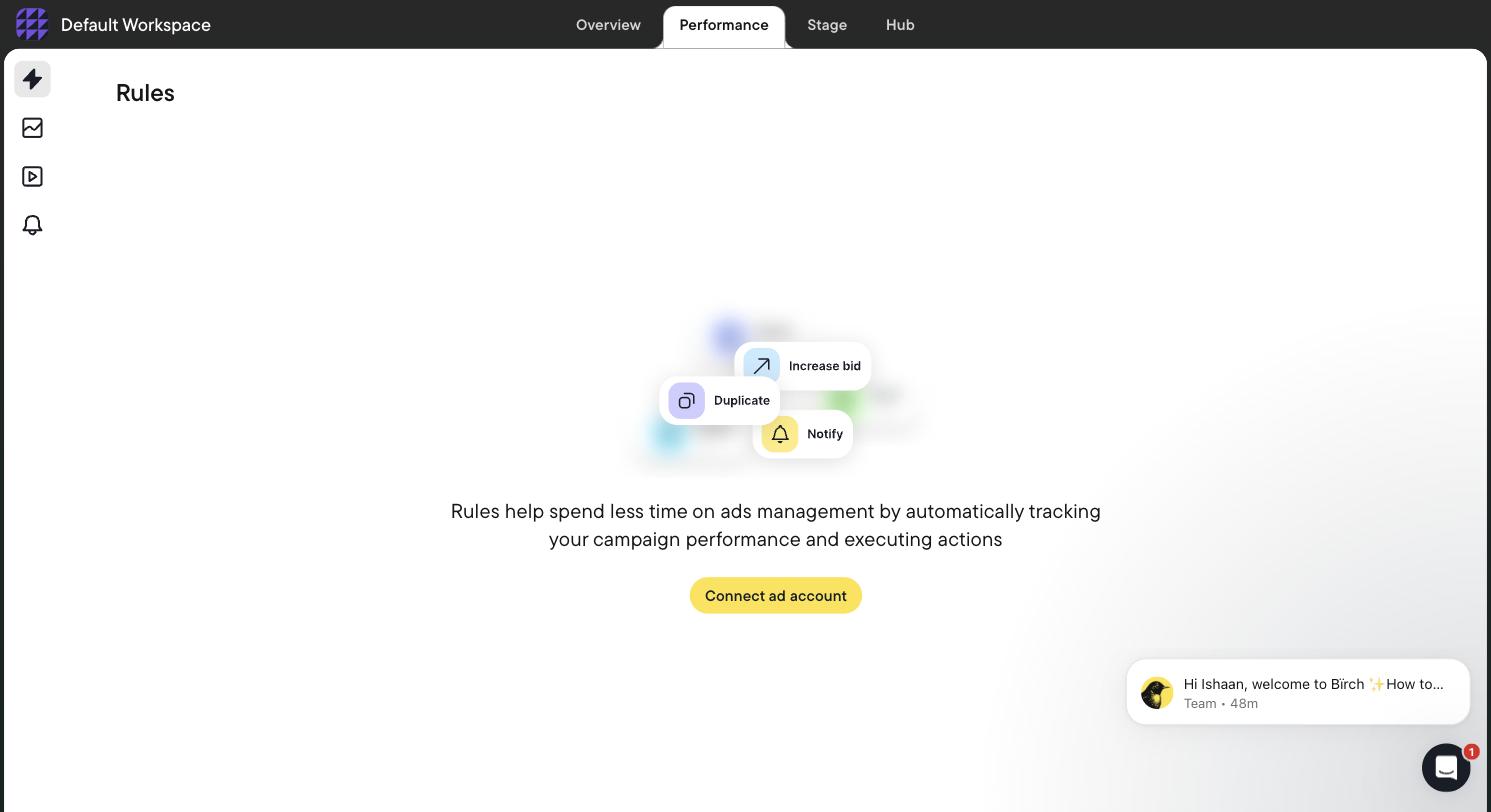
Birch’s Rules screen, gated behind Connect ad account, 30 July 2026. There is no sandbox and no demo data, so we never saw the rule builder itself.
Overage billing is what enforces the ladder
Spend-tiered pricing needs an enforcement mechanism, and overage billing is it. Birch states that if your monthly ad spend exceeds the tier you are subscribed to, the overage is billed through Stripe. That means a single strong month, a seasonal push, or one campaign left running over a weekend can produce a software invoice you did not plan for.
Three practical consequences:
- Budget your software cost off your peak month, not your average month.
- Annual prepayment locks the discount. Nothing we read says it locks the tier. We did not prepay and did not test this, so get the answer in writing before you commit to twelve months.
- The trial is 14 days with full features. On expiry Birch disables rules and reports rather than deleting them, so your automations stop firing while the account still exists. That is a quiet failure mode worth knowing about.
Optmyzr: the brackets tell you who it is for
We created a trial account on Optmyzr on 30 July 2026. Signup asks five mandatory qualification fields and then requires a phone number and an SMS code before the product opens. No credit card at any point. Its published /free-trial/ URL 404s. The in-product trial banner counts 15 days while the marketing site says 14.
We did not see per-tier prices in the product, so we are not going to publish numbers we did not read. What we did see is the ad-spend bracket list, and that is informative on its own. The brackets begin at Under $10,000/mo and run up to $500,000+.
When a vendor’s lowest bracket is a ceiling of $10K, the pricing model is built for accounts above it. A local business spending $1,200 a month sits in the same bracket as one spending $9,900 and is priced accordingly. Optmyzr is an eleven-platform PPC operations suite whose Rule Engine ships pre-built strategies for Google, Microsoft and Amazon Ads, and one of its three working modes connects it over MCP to Claude or ChatGPT. It is priced for agencies and in-house PPC teams, and the bracket floor says so before any salesperson does.
Credit where it is due. Optmyzr let us into the product with no ad account connected at all, which is rare here. The full tool catalogue and the Sidekick assistant were open, and Sidekick answered a real bidding question for us while unconnected. Every tool that actually touches a campaign bounced us back to the All Accounts screen. Birch gates everything behind a live connected account, so its rule builder is unreachable until you hand it a real ad account. If you want to evaluate before you connect, that difference matters more than $50 a month.
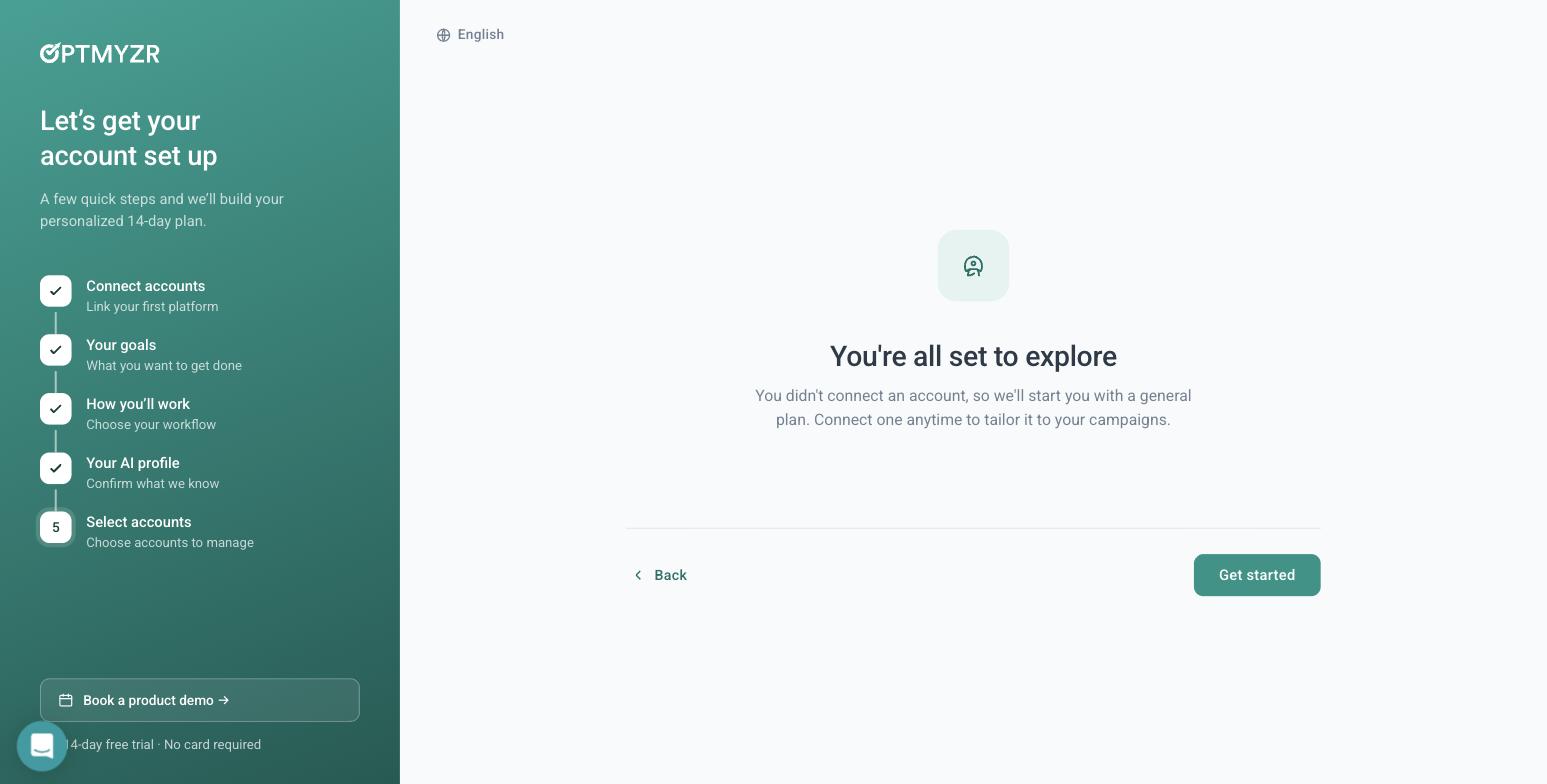
Optmyzr confirming we could enter the product with no ad account connected, 30 July 2026.
One more thing worth copying from Optmyzr, whichever tool you pick. Its optional manager-account link dialog makes you type CONNECT, warns that Google automatically emails everyone with access to the account, and states plainly that it is not recommended for agencies without explicit client approval. If you are about to link a manager account, that email goes out whether or not your client was expecting it.
The cost line nobody prints: markup on ad spend
Percentage-of-spend billing is at least visible. You can read the percent and multiply. The cost line that is harder to see is markup on the media itself, where the number you budget and the number that reaches the ad auction are not the same. If you budget $5,000 and $4,600 reaches the platform, the $400 gap is vendor revenue, and it does not show up as a line item you would notice.
We have not audited any vendor’s invoices and we are not accusing anyone. We are telling you which two questions settle it, because you can ask both in five minutes and you should ask them in writing.
- Whose ad account is the money spent in? If it is the vendor’s pooled account rather than yours, you cannot audit the spend independently. Our explainer on managed ad accounts covers why account ownership is the real question underneath this one.
- Is every dollar of my budget spent on media? Ask for a yes or a no, not a paragraph.
For AdFlint the answers are plain. You connect your own Google and Meta accounts over OAuth and you own them. We do not pool customers into a provider-owned ad account. On self-serve plans we take 0% markup on ad spend — your budget goes to the ad platforms, and our subscription is the only thing we charge. Our self-serve plans cover up to $30,000 a month of ad spend, with custom pricing above that. We state the number because it is more useful to you than a vague “scales with you.” The full plan list is on our pricing page, and how we handle account access is documented separately.
How to work out your real annual cost, step by step
Do this once, with a spreadsheet, before you commit to anything annual.
- 1. Write down your actual monthly ad spend for the last twelve months, month by month. Not your plan — your spend.
- 2. Circle the highest month. That is the tier you will actually be billed at, or overaged into.
- 3. Project the next twelve months. If you expect growth, find the month you cross the next band.
- 4. Look up the price at that band, not today’s band. Use the ladder above for Birch.
- 5. Check which plan actually contains the feature you are buying the tool for. For rules on Birch, that is Pro, not Essential.
- 6. Ask what happens in a month you exceed the tier, and whether the overage is prorated or a full band jump.
- 7. Ask whether an annual contract locks your tier or only your discount.
- 8. Add seats. Some tools price per user on top of the spend tier.
- 9. Add the platforms you need. Birch lists 12 integrations and none of them are Microsoft, Amazon or LinkedIn. Optmyzr lists 11, including Amazon and Microsoft. A missing platform is a second subscription.
- 10. Ask the two markup questions above and get the answers in writing.
- 11. Add the human cost. A rules engine is not a person. Someone has to write the rules, watch them, and fix them when a platform changes underneath. That time is real money.
- 12. Add the evaluation cost. If a tool cannot be assessed without connecting a live ad account, then finding out it is wrong for you includes whatever it did to your campaigns first.
- 13. Divide the twelve-month total by your annual ad spend. Now you have one comparable number: software cost as a percentage of media.
- 14. Sanity-check that percentage against what the spend should be earning. Our ROAS calculator and ad budget calculator do the arithmetic if you would rather not.
What this means at different sizes
| Your monthly ad spend | What spend-tiered pricing does to you | What to look for instead |
|---|---|---|
| Under $3,000 | You pay the same band price as an account spending 3x more | Flat pricing, or a tool built for this size. See PPC software for small business |
| $3,000–$10,000 | The entry band is genuinely cheap here | Check the feature split before you buy the headline price |
| $10,000–$75,000 | Two band jumps take Birch Pro from $99 to $499, a 5x rise | Model the jump month before signing annual |
| $75,000+ | Software cost becomes a real line item and Enterprise quoting starts | Negotiate, and compare against a percentage-of-spend agency |
Where AdFlint sits, stated plainly
AdFlint writes, launches and optimizes Google Search and Meta campaigns inside ad accounts you connect and own. By the definitions at the top of this page, our self-serve plans are spend-tiered too: the fee is flat inside a plan and steps up with your monthly ad spend limit. Launch is $40 a month for up to $1,000 of ad spend, Growth $89 up to $2,500, Scale $109 up to $5,000, Accelerate $119 up to $10,000, Performance $219 up to $20,000 and Premium $319 up to $30,000, with custom pricing above that. One thing differs from the Birch ladder: AdFlint will not set budgets past your plan’s limit, so a big month does not produce an overage invoice, and you move up a plan when you choose to. We are not the cheaper line item at every size. At $9,000 a month of spend we cost $119, against $99 for Birch Pro. Self-serve plans carry 0% markup on ad spend, and monthly plans start with a 7-day free trial. Autopilot keeps optimizing after launch. How it works walks the whole flow.
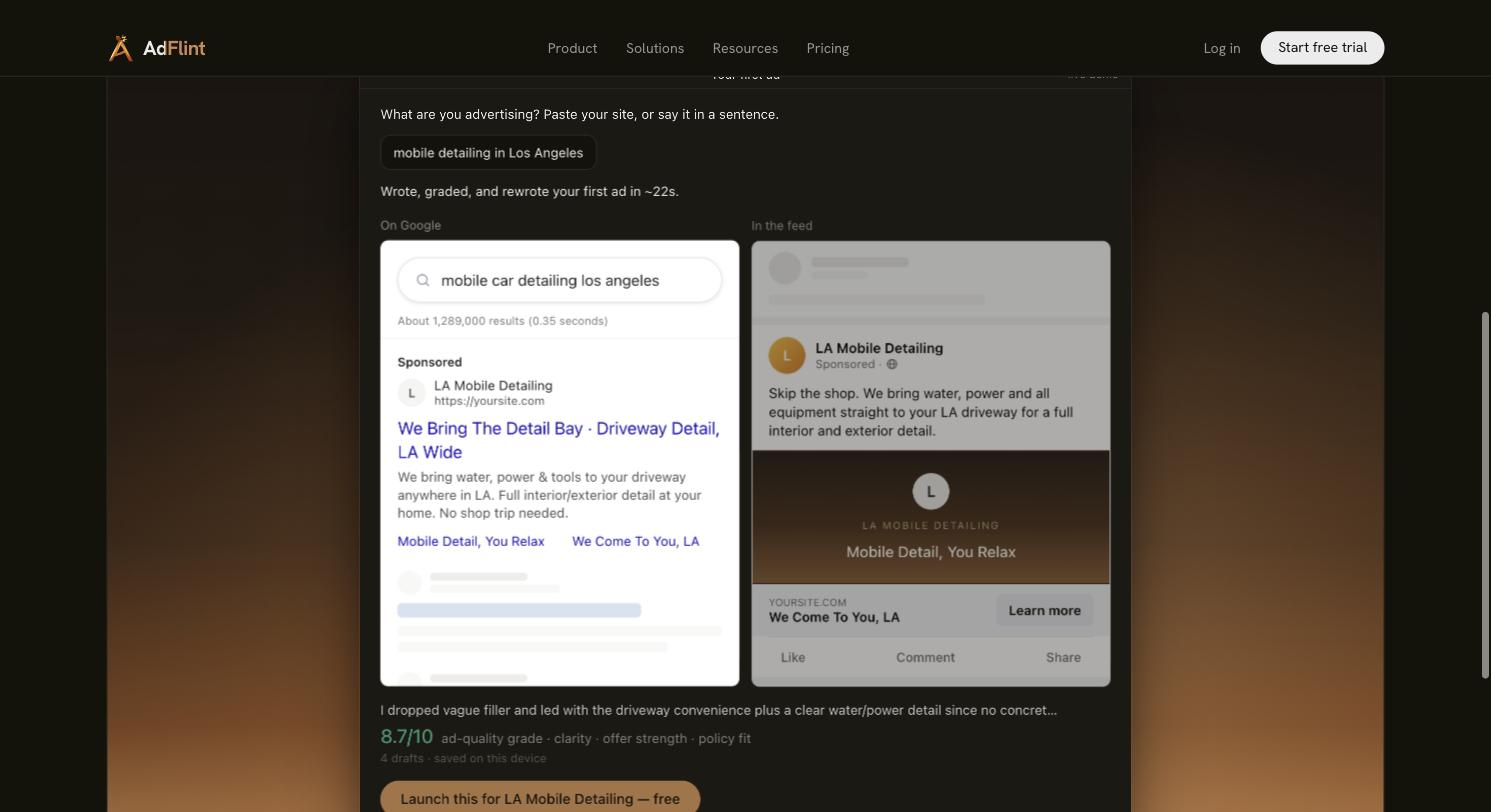
Our public demo on adflint.com, captured 31 July 2026. Input was “mobile detailing in Los Angeles.” It produced a Google search ad and a Meta feed ad in about 22 seconds, wrote four drafts, and self-graded 8.7/10 on clarity, offer strength and policy fit. No account is needed to reproduce it.
What we did not test
We never connected a live ad account to Birch or Optmyzr. That means we have not seen either tool’s optimization quality, rule execution, or a populated report, and nothing above should be read as a verdict on those things. We also have not run sustained live ad spend of our own, so we have no performance figures, no client results and no case studies to offer, and we are not going to invent any. What we did do is read the pricing, and the pricing is checkable: open bir.ch/pricing and move the slider.
If you want the wider field rather than just the money question, our AI ad management software comparison and Google Ads management software roundups cover capability. This page covers cost, because cost is where this category is least honest. Our own ladder is in the section above, and plans start at $40 a month.
Related guides
Can ChatGPT or Claude Manage Your Ad Accounts?
On Meta, yes: its official ads MCP server can create and edit campaigns. On Google, not yet: its official server only reads. What each path needs.
Best AI Ad Management Platforms in 2026
Four categories, not one leaderboard: launch-and-run tools, creative generators, rules and pacing platforms, and enterprise suites. Which fits your budget.
Native Ad AI vs Third-Party Tools in 2026
One platform, under $10k a month? The native AI is probably enough. The four things Google and Meta structurally will not do, and when a layer earns its keep.
Compare the options
Skip the learning curve
AdFlint writes, launches, and optimizes Google and Meta campaigns inside the ad account you own — you approve every ad, and hard budget caps protect your spend. 7-day free trial.
Free tools: ad copy generator, ROAS calculator, budget calculator · ads by industry