AI Ad Automation: What to Let It Change, and Not
Here is the short answer. An AI should be allowed to make changes that are bounded, reversible, and spend-reducing without asking. It should be required to ask before any change that resets learning, touches policy surface, or expands who sees your ads. It should never be allowed, unattended, to raise a spending limit, declare an ad category, or edit anything in a regulated vertical.
Most writing about AI ad automation describes the happy path. This is written from the failure modes, because the failure modes decide whether automation is worth having. A rule that saves you four hours a week and once a quarter spends a month of budget in a weekend is not a good trade. Below: the tier model, the mechanism by which each bad change bites, the five guardrails that make it survivable, and a 14-step setup order. The product version of this is on our AI ad management page.
The three tiers
| Tier | Examples | Why it belongs here |
|---|---|---|
| Green — automate fully | Pausing a clearly fatigued ad. Adding a junk search term as an exact-match negative. Shifting budget between two ad sets that already have conversion history. Pausing a placement with spend and zero conversions past a threshold. | Bounded blast radius, spend-neutral or spend-reducing, and trivially reversible. The worst case is a small opportunity cost, not a hole in the bank account. |
| Amber — human in the loop | New creative going live. Audience expansion. Bid strategy changes. Changing a target CPA or ROAS. Turning on broad match. Adding a new geo. | Each one either resets the algorithm’s learning, changes who sees the ad, or changes what you are willing to pay. All three have unbounded downside and slow feedback. |
| Red — never unattended | Raising a budget cap or daily budget ceiling. Declaring or entering a special ad category. Any edit in a regulated vertical — finance, health, legal, gambling, alcohol. Changing billing. Adding account users or granting a manager-account link. | These are one-way doors. The cost of being wrong is measured in suspended accounts and unrecoverable spend, not in a bad week of CPA. |
The sorting question is not “how smart is the model?” It is “if this change is wrong, how much can it cost before a human notices, and can it be undone?” Capability does not move a change between tiers. Blast radius does.
Why each failure mode actually bites
1. The compounding budget raise
A rule says: if ROAS over the last 3 days is above target, increase budget by 20%. It runs daily. Fire it five days in a row and the daily budget is 2.49x what you approved — that is just 1.2 to the fifth power, not a worst case. And it did that on three days of attributed data, during which conversions were still landing late. When the true numbers settle you are spending roughly 2.5x at a CPA you never signed off on. Nothing in the rule was wrong. The rule compounds and the data lags. Budget-increase logic needs an absolute ceiling, not just a percentage step, and a cooldown so it cannot fire on consecutive days. That is why raising a cap belongs in red rather than in a smarter rule.
2. The learning-phase reset loop
Meta documents that ad sets re-enter the learning phase after significant edits, and that delivery is less stable while an ad set is in it — the article is “About the learning phase” in Meta’s Business Help Center. An automation that adjusts budgets or targeting frequently can hold an ad set close to permanently in learning. The rule fires because performance looks bad. Performance looks bad partly because the rule keeps firing. Rate limits are not a nice-to-have here; they are the thing that breaks the loop.
3. The over-broad negative
Excluding a junk search term is green-tier. Excluding it as a broad match negative is a different action. Add “free” as a broad negative and you have blocked “free consultation dentist near me”. The failure is silent: impressions go down, the rule reports success, and nobody sees the queries that stopped arriving. Automated negatives should be pinned to exact match by default, and every automated exclusion needs to land somewhere a human reviews. Our write-up on why Google Ads wastes money for beginners covers the manual version of the same trap.
4. The policy trapdoor
This one ends accounts rather than campaigns. Meta requires advertisers to declare a Special Ad Category for ads about housing, employment, financial products and services (the category that replaced credit in January 2025), and social issues, elections or politics; declaring it removes targeting options, and running such ads without declaring is a policy violation. The current rules are in Meta’s Advertising Standards and Google’s equivalent restrictions are in the Google Ads policy help centre. An AI that generates and launches creative has no reliable way to know that your new landing page now mentions financing. If it ships that ad unattended, the downside is not one disapproval — it is a pattern of disapprovals, which is what escalates to account-level enforcement. We wrote separately about why ads get disapproved, and what to do when it goes further, for a suspended Google Ads account and for a restricted Meta account.
5. Acting on incomplete data
Conversions arrive late. View-through and offline conversions arrive later still. A rule reading a 1-day or 3-day window is reading a partial number and treating it as final. Killing an ad on day two for zero conversions is often killing an ad that had two conversions which had not been attributed yet. Any rule that pauses something should require a minimum spend or impression volume, not just a time window, and should read a window at least as long as your typical conversion lag.
6. Silent failure
The under-discussed one. A rule stops firing — the token expired, the account was re-linked, a metric name changed. Nothing breaks loudly. You stop getting the optimization you are paying for and find out six weeks later. Automation needs a heartbeat: an alert when a rule has not run, not only when it has.
The five guardrails
| Guardrail | What it prevents | What good looks like |
|---|---|---|
| Hard budget cap | Compounding raises, runaway spend, overage surprises | An absolute ceiling enforced above the platform, not a percentage step. The system refuses to exceed it rather than warning you afterwards. |
| Approval queue | New creative, audience expansion and bid-strategy changes shipping unreviewed | Amber-tier changes queue with a diff: what changes, why, expected effect. Nothing goes live until a human clicks. |
| Rate limits | Learning-phase reset loops, thrash, oscillating budgets | Per-entity cooldowns (one budget change per ad set per N days) plus a global cap on changes per account per day. |
| Rollback | Any wrong change becoming permanent | Every automated change logged with its previous value, revertible in one action. If you cannot answer “what was it before?” you cannot roll back. |
| Alerting | Silent failure, and slow drift you would otherwise notice at month end | Alerts on changes made, on thresholds approached, and on rules that did not run. |
What the tools in this category actually ship
We created accounts on both Birch (formerly Revealbot) and Optmyzr on 30–31 July 2026 and worked through what each one would show us. The honesty note comes first, because it bounds everything after it: we never connected a live ad account to either product. We have not watched their rules execute, seen a populated report, or formed any view of their optimization quality. What follows is about how each product frames automation, not how well it performs.
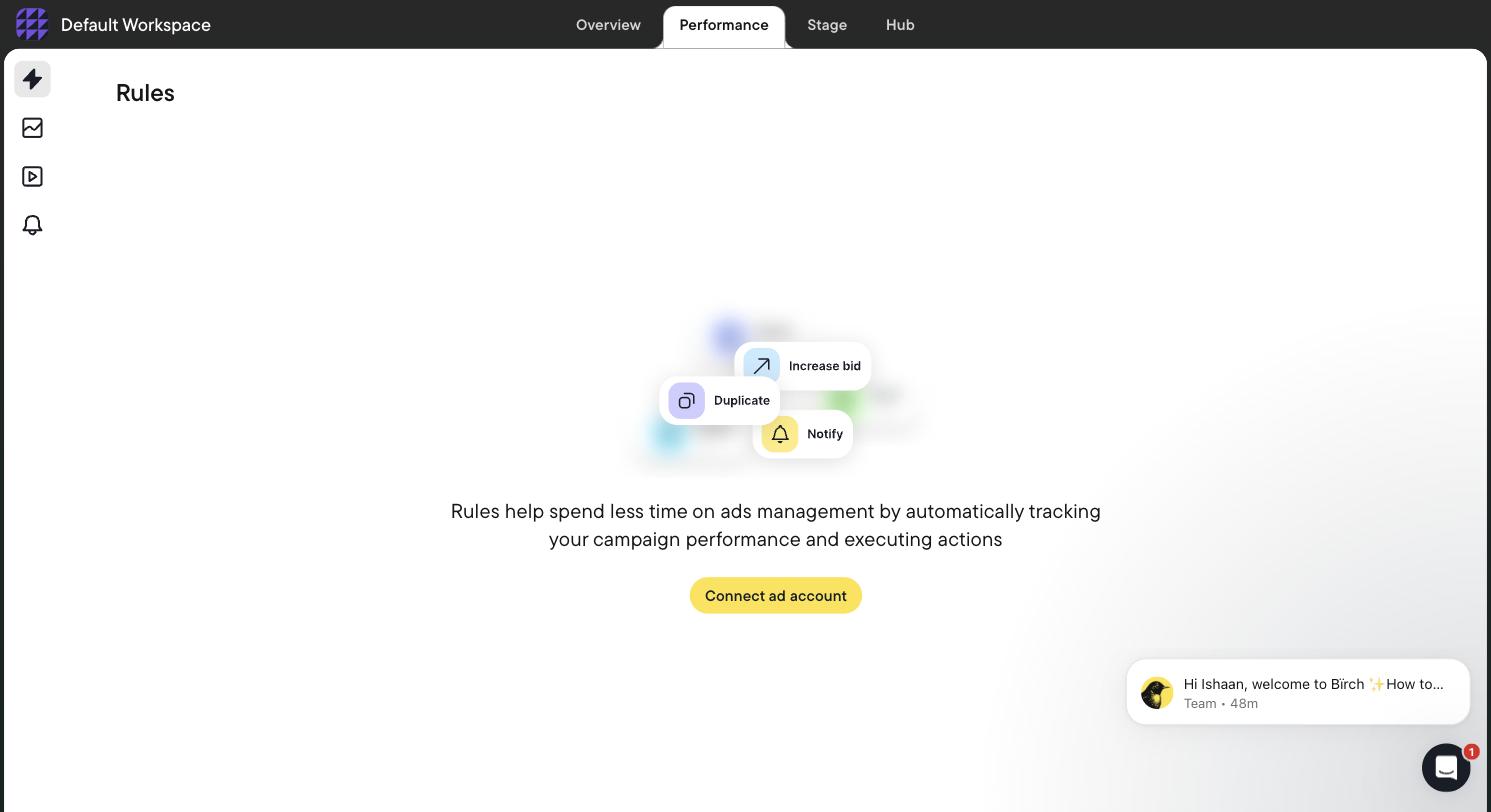
Birch’s Rules screen on 31 July 2026, fully gated behind a “Connect ad account” button. The empty state previews three action types: increase bid, duplicate, and notify. We never got past this screen, because Birch has no sandbox or demo data.
That third action type is the interesting one. “Notify” is a rule that changes nothing and only tells a human. It is the most underused setting in every rules engine, and it is how you should run any new rule for its first two weeks: same conditions, same schedule, no action. If the notifications it sends over fourteen days are all changes you would have made anyway, promote it to acting. If even one is not, you just avoided shipping a bad rule into a live account. Note also that Birch’s rules engine sits in its Pro plan, not the $49/mo Essential tier — at the up-to-$10K monthly spend bracket, Essential is $49 and Pro is $99, and automation is a Pro feature. We read that off Birch’s own in-app billing slider on 31 July 2026 and mapped the full ladder in our Revealbot alternatives comparison. Any article quoting “Revealbot from $49” to someone shopping for a rules engine is quoting the wrong plan.
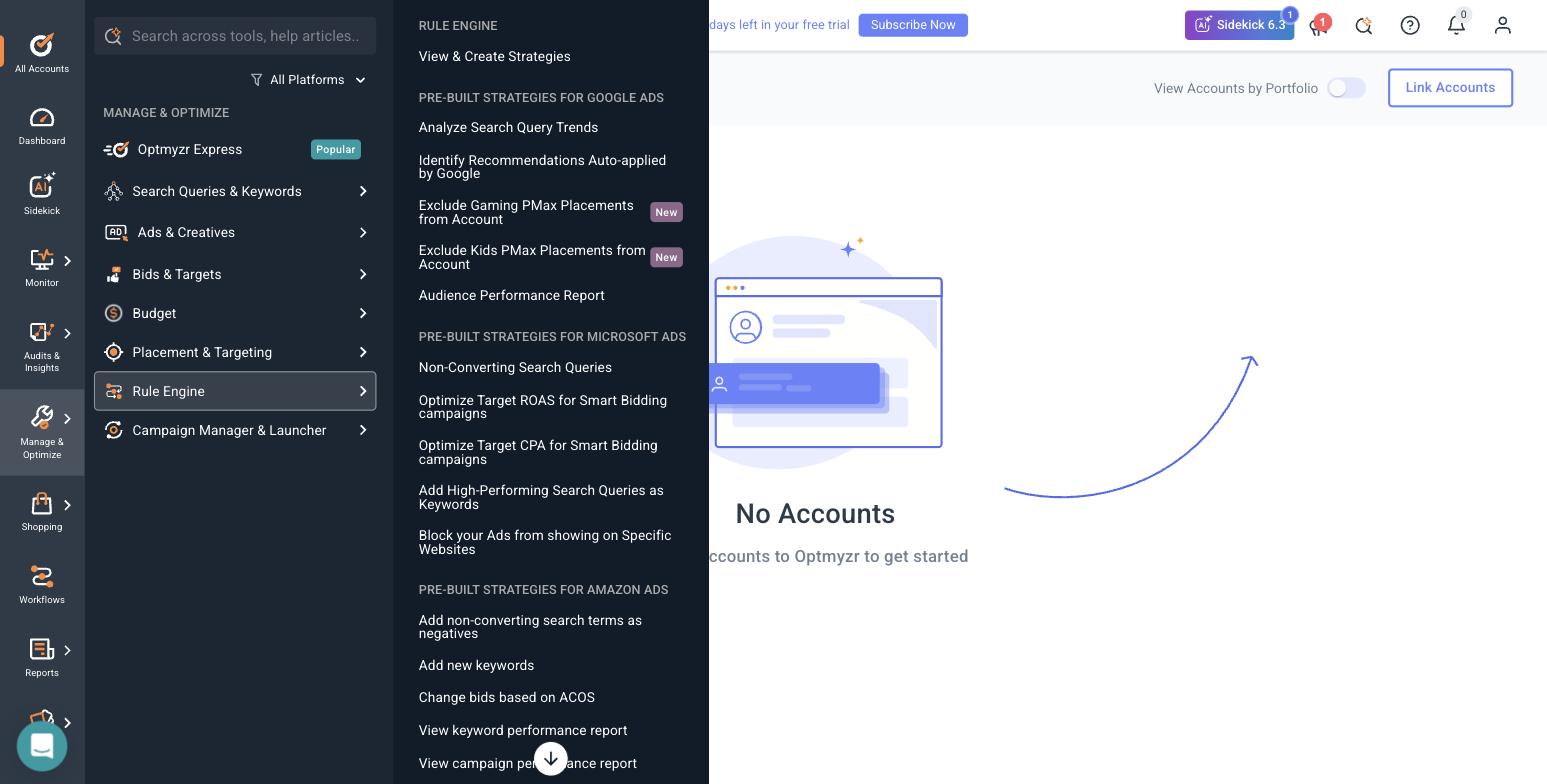
Optmyzr’s Rule Engine strategy library, seen in-product on 31 July 2026 with no ad account connected — note the “No Accounts” state behind the menu.
Two entries in that Google Ads list are “Exclude Gaming PMax Placements from Account” and “Exclude Kids PMax Placements from Account”, both flagged New. That is a guardrail shipped as a rule, and it is a pattern worth copying. Neither one optimizes anything. Each permanently fences off a known-bad surface so no downstream automation can wander into it. Most of your first week with any rules engine should go into fences like these, not growth rules.
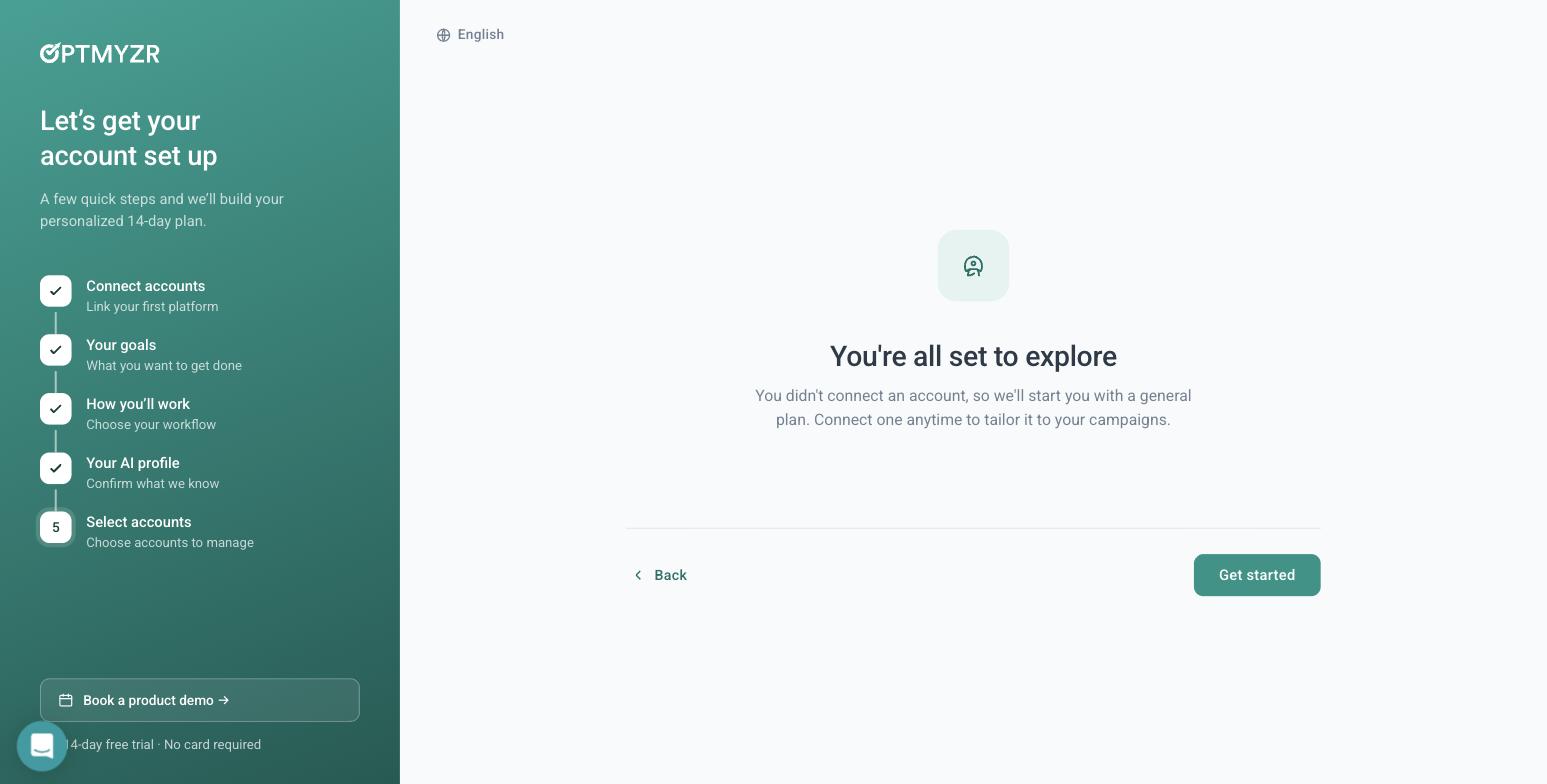
Optmyzr let us into the full application with nothing connected, on 31 July 2026 — rare in this category. Its assistant and tool catalogue were browsable, but every tool that would touch a live campaign bounced back to All Accounts. That is exactly why we cannot comment on execution quality.
One more thing from the Optmyzr side that belongs in a guardrails post. Its optional Google manager-account link dialog makes you type CONNECT to confirm, warns that Google automatically emails everyone with access to the account, and states in the dialog that it is not recommended for agencies without explicit client approval. That is a vendor putting friction in front of a red-tier action, in its own product, against its own signup conversion rate. It is the right instinct, and it is a fair bar to hold other tools to. If you are not sure what you would be granting, read the manager account (MCC) explainer before you accept any link request.
How AdFlint draws the lines
Two of the five guardrails are enforced in our product today. AdFlint applies hard budget caps and an approve-before-launch flow: campaigns and creative are written and graded automatically, and a human approves before anything goes live. After launch, autopilot keeps optimizing inside the cap you set, and two of its automatic moves go further than the tiers above advise. On autopilot, AdFlint can raise a campaign’s budget by up to 20% at a time without asking, with a cooldown after each raise, a fixed dollar limit on each move and never past your cap. Raising the cap itself waits for you. It can also change a bid strategy or target once a campaign has at least 15 conversions in 14 days, which the table puts in amber. You connect your own ad account over OAuth and keep ownership of it, and we do not pool customers into a provider-owned account. Self-serve plans carry 0% markup on ad spend, monthly plans start with a 7-day free trial, and self-serve covers up to $30,000 a month of ad spend. Details are on how it works, pricing, security, and the AI ad management overview.
The limits, stated plainly. The five guardrails above are the standard we hold ourselves to, not a feature list we have finished shipping — do not read the table as a claim that every row is live in AdFlint. And we have not run sustained live ad spend of our own, so we have no measured production failure rate for automation, ours or anyone else’s. Everything above is mechanism, not measurement. If a vendor hands you a failure-rate statistic, ask what population it was measured over and over how long.
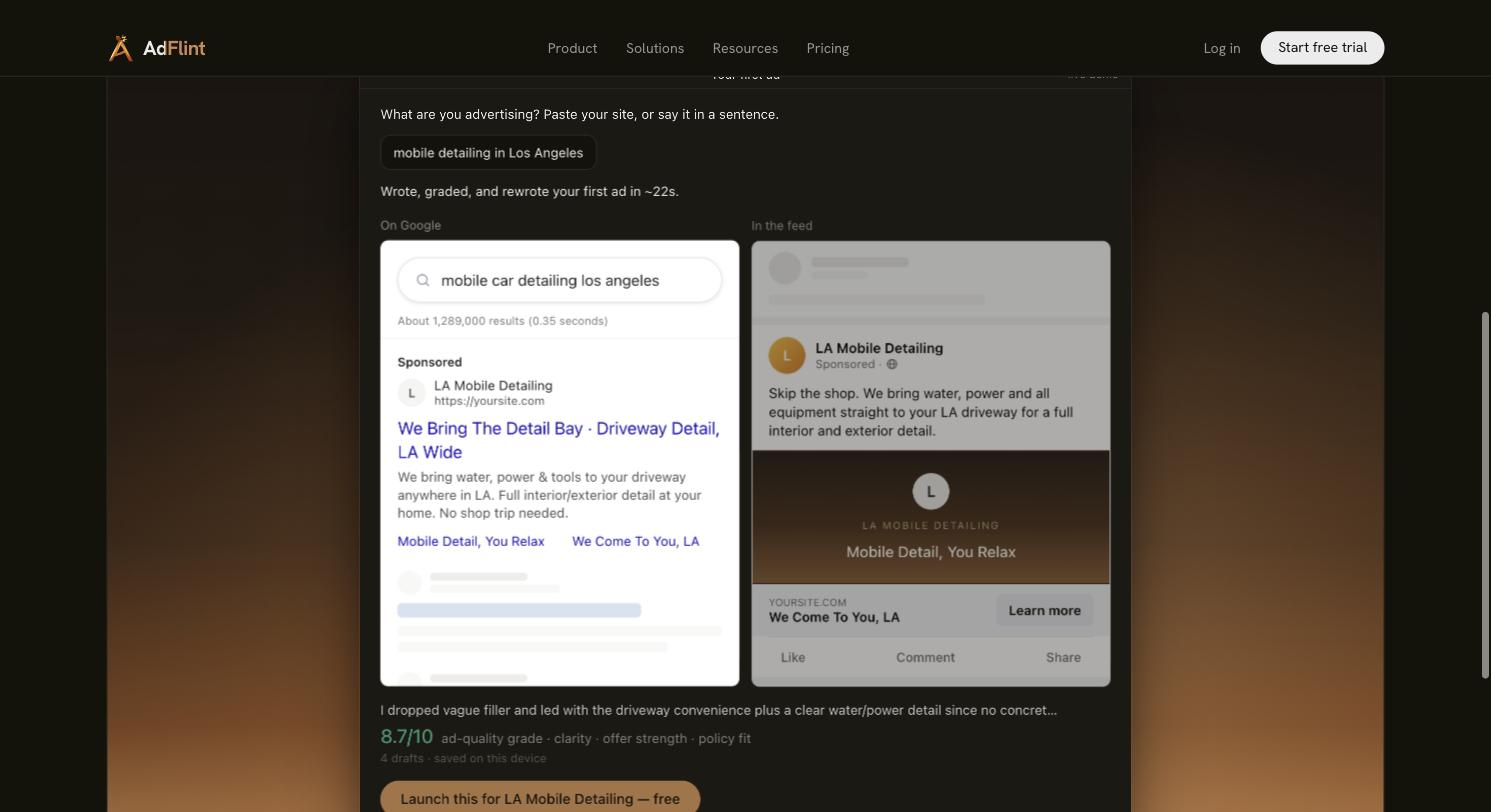
Our own public demo on adflint.com, captured 31 July 2026. Input “mobile detailing in Los Angeles”; it produced a Google search ad and a Meta feed ad preview in about 22 seconds across 4 drafts, self-graded 8.7/10 on clarity, offer strength and policy fit. Generated, not launched — and the grade is the system grading itself, not a performance result. The launch step is where the approval sits.
The setup checklist, in order
- 1. Set an absolute monthly spend ceiling before you enable a single rule. Use our ad budget calculator if you do not have a number yet.
- 2. Set a per-campaign daily ceiling separately from the account ceiling. One campaign should not be able to consume the whole account.
- 3. Write your fences first: exclude the placements, categories and geos you never want, before you write anything that grows.
- 4. Enable every green-tier rule you want. These can act immediately.
- 5. Put every amber-tier rule in notify-only mode for 14 days.
- 6. Set a cooldown on every rule that changes a budget or a bid. One change per entity per 3–7 days is a reasonable start.
- 7. Set a global daily cap on total automated changes per account. If it is ever hit, something is oscillating.
- 8. Require a minimum spend threshold, not just a time window, on every pause rule.
- 9. Pin every automated negative keyword to exact match unless you have deliberately decided otherwise.
- 10. Confirm every rule logs its previous value. If it does not, you have no rollback.
- 11. Turn on alerts for changes made and for rules that failed to run.
- 12. Explicitly disable any rule that can raise a budget cap. Route those to approval instead.
- 13. Audit who has account access, especially if a tool asked you to link a manager account. Grant the narrowest role that works, and re-check the list quarterly.
- 14. Review the change log weekly for the first month — the change log, not the performance report. Then promote notify-only rules to acting one at a time, never in a batch.
The one-line version
Automate what is reversible. Approve what is expansive. Never automate what is one-way. If a tool cannot show you the change log, the previous value, and the rules that did not fire, it is not ready to be left alone with your budget — however good its optimization is. That principle is what our AI ad management product is built around, and it applies equally to Google Ads and Meta ads whether you use us or not. If you are weighing automation against hiring, we compared both routes in agency versus AI ad manager, and the wider tool landscape sits in our AI ad management software roundup.
Related guides
How Long to Get a First Ad Live, Tool by Tool
We ran the stopwatch on Optmyzr and Birch signup in July 2026. Where each one walls you off, and why time-to-see-the-product is not time-to-a-real-ad.
Google Ad Manager vs Google Ads: What's the Difference?
Google Ad Manager is for publishers who sell ad space; Google Ads is for advertisers who buy ads. A side-by-side table, a 30-second test and quick answers.
Best AI Ad Management Platforms in 2026
Four categories, not one leaderboard: launch-and-run tools, creative generators, rules and pacing platforms, and enterprise suites. Which fits your budget.
Compare the options
Skip the learning curve
AdFlint writes, launches, and optimizes Google and Meta campaigns inside the ad account you own — you approve every ad, and hard budget caps protect your spend. 7-day free trial.
Free tools: ad copy generator, ROAS calculator, budget calculator · ads by industry