Native Ad AI vs Third-Party Tools in 2026
Short answer: if you advertise on one platform, spend under roughly $10,000 a month, and nothing about your business is unusual, the platform’s own AI is probably enough. Buying a third-party layer on top of it will not make the bidding smarter.
The moment you run Google and Meta at the same time, or you need a spend ceiling that is actually enforced, or you need one number you trust across both, the native AI stops covering you. Not because it is bad. Because of what it is structurally built to do.
This piece separates those two things: what the platform AI genuinely does better than anyone, and what it will never do no matter how good it gets. Then it shows what the third-party category is actually selling in 2026, using two products we signed up for and worked inside on 30–31 July 2026 — Optmyzr and Birch (formerly Revealbot).
What the native platform AI genuinely does well
Start here, because most comparison articles skip it. Google Smart Bidding and Performance Max, and Meta’s Advantage+ family, have one structural advantage no external tool can replicate: they sit inside the auction and they see signals that never leave the platform.
- Per-auction bidding. Google Ads Help describes Smart Bidding as setting a bid at auction time using signals such as device, location, time of day, browser and operating system. A third-party rule engine reads an API report on a schedule and acts between reads. Those are not the same game. Anything claiming to out-bid the platform on its own turf is selling you a story.
- Cross-surface allocation. Google describes Performance Max as running across Search, YouTube, Display, Discover, Gmail and Maps; Meta describes Advantage+ placements as spanning Facebook and Instagram feeds, Reels, Stories and Audience Network. That reallocation happens inside the platform, continuously, at a granularity no external script can address.
- Creative combinations at scale. Both platforms recombine headlines, descriptions and assets, and Meta will crop, re-aspect and adapt a creative per placement. If you upload enough raw material, the platform will test more permutations than you ever will by hand.
- Conversion signal quality. They own the logged-in graph, the cross-device path and the modelled portion of conversions. You can feed data in. You cannot see what they see.
So the honest position is: for pure in-auction optimization on a single platform, the native AI wins. No external layer changes that. Any argument for buying one has to be made somewhere else.
The four things platform AI structurally will not do
These are not feature gaps waiting for a roadmap. They are consequences of who is paying whom.
1. Optimize across Google and Meta at once
Google’s AI optimizes a Google budget. Meta’s optimizes a Meta budget. Neither has any mechanism — or reason — to say “this $2,000 is doing better on the other network, move it there.” If you run both, the allocation decision between them is yours or your tool’s. Nobody else is making it. That is the entire reason a combined Google and Meta view exists as a product category.
2. Tell you to spend less
A conversion-maximizing optimizer has a narrow action space: bids, placements, audiences, creative mix. “This offer is not working, pause everything and fix the landing page” is not in it. Neither is “your budget is too high for your search volume, cut it in half.” The system will keep spending the budget you authorized, because spending it is what it was asked to do.
3. Enforce a hard cap against its own revenue
Daily budgets are not ceilings in the way most people assume. Google Ads Help documents that individual days can run over your average daily budget, with the guarantee applied at the monthly level — average daily budget multiplied by 30.4. Meta’s Business Help Center describes its own daily budgets the same way: a figure to average against, not a wall. Neither platform will volunteer a hard stop that costs it revenue. If you want a genuine “never exceed $1,500 this month, full stop” rule, it has to be enforced by something whose incentives are not tied to your spend. That is a real, permanent structural argument for an outside layer — and it is why AI ad management tools that hold a hard budget cap are solving a problem the platforms will not solve for you.
4. Give you one honest view of both
Google and Meta use different attribution windows, different conversion definitions and different modelling. Run both and each can claim the same sale. Add the two dashboards together and you will over-count. Someone has to deduplicate, and it will not be either platform. We wrote about how this goes wrong in practice in why Google Ads wastes money for beginners.
| Job | Native platform AI | Third-party layer |
|---|---|---|
| Bid per auction | Structurally better. Not close. | Cannot compete. Should not try. |
| Placement mix within one platform | Better | Can only restrict, not out-optimize |
| Budget split across Google and Meta | Not attempted | Only option |
| Hard spend ceiling | Conflicted; the Google guarantee is monthly, not daily | Can enforce independently |
| Recommending you spend less | Outside the action space | Possible, if the pricing is not spend-linked |
| Deduplicated cross-platform reporting | Never | Core value |
| Bulk launch of 40 creatives at once | Possible via Google Ads Editor or Meta bulk import, but you assemble it | Core value |
What third-party tools are actually selling in 2026
We created trial accounts on Optmyzr and Birch and worked through both products on 30–31 July 2026. We did not connect a live ad account to either one, so we have not seen their optimization quality, their rule execution or a populated report. Everything below is what the products show before that point, which is still the clearest signal of where the category has moved.
Optmyzr: cross-platform rules and an MCP connector
Optmyzr’s Rule Engine ships pre-built strategies that span Google Ads, Microsoft Ads and Amazon Ads from one interface. That is precisely the thing no native AI does.
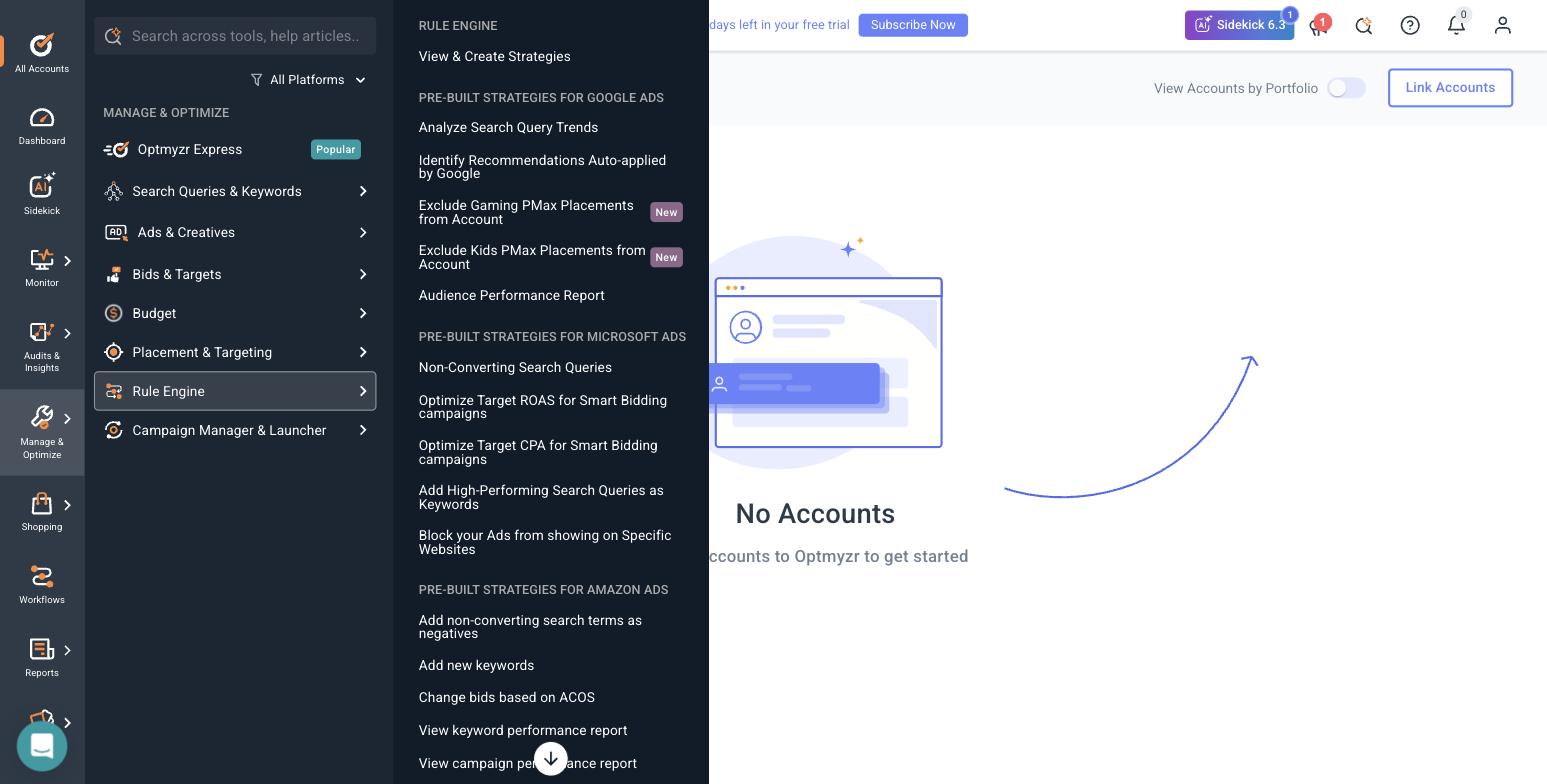
Optmyzr’s Rule Engine strategy library, spanning three ad platforms in one rule set. Screenshot from our trial account, 30–31 July 2026. We did not run any of these strategies against a live account.
The more interesting signal was step 3 of its five-step setup wizard, which asks how you want to work: hands-on in the browser, inside your AI assistant over MCP (it names Claude and ChatGPT), or on autopilot. The pitch is that your chat assistant becomes the interface to your ad accounts.
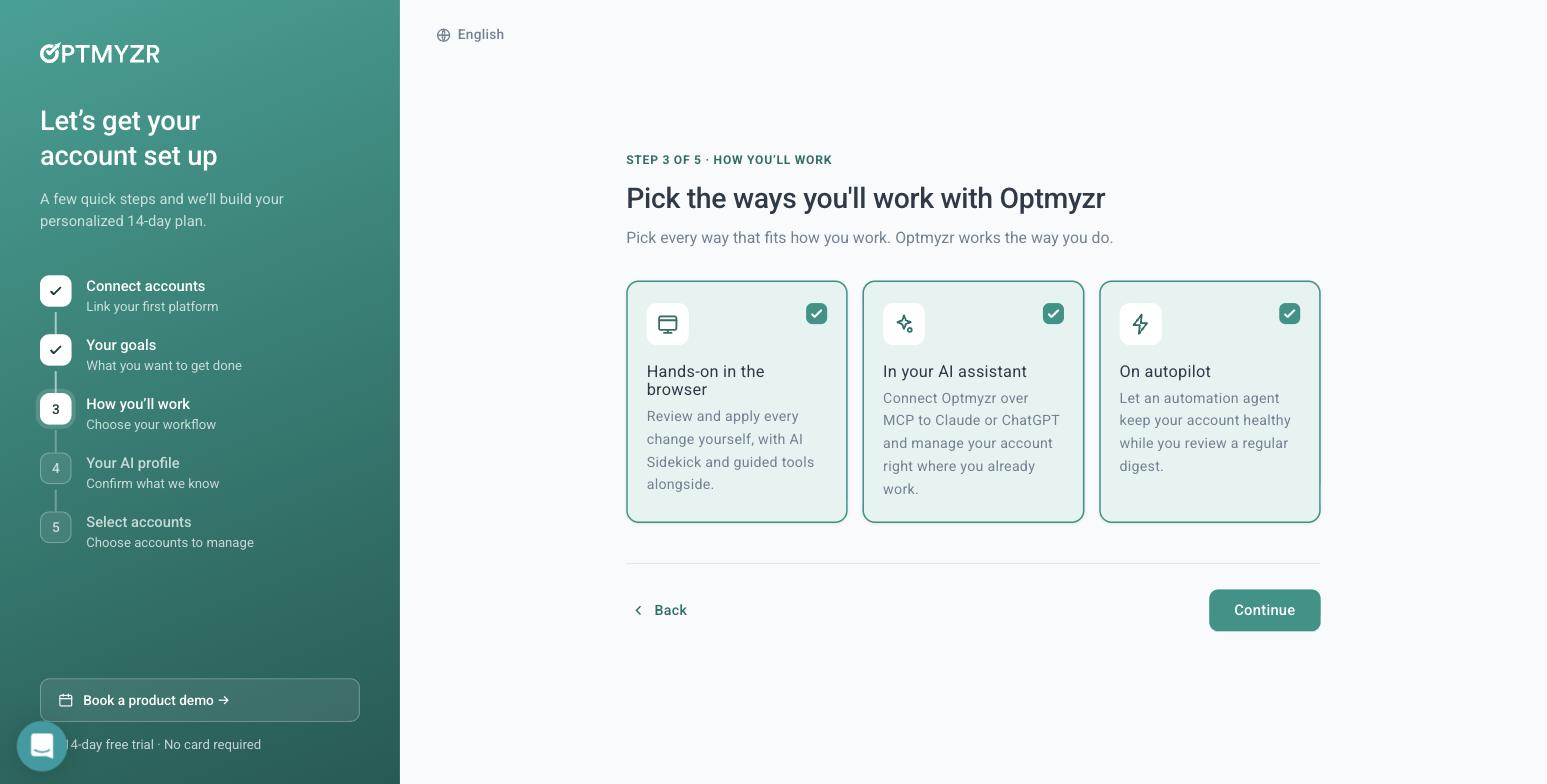
Optmyzr onboarding, step 3 of 5. The middle option connects Optmyzr to Claude or ChatGPT over MCP. Screenshot from our trial account, 30–31 July 2026.
Other things we verified first-hand: signup asks five mandatory qualification fields, then requires a phone number and an SMS code before the product opens, with no credit card at any point. The published /free-trial/ URL 404s. The in-product banner counts 15 days while the marketing site says 14. It lists 11 integrations, including Amazon Ads, Microsoft Ads, LinkedIn, Search Ads 360 and Yahoo Japan. Unusually for this category, it let us into the full application with no ad account connected, and its Sidekick assistant answered a real Maximize-Conversions-versus-Manual-CPC question correctly while unconnected, with an “AI can make mistakes” disclaimer attached. Every tool that would actually touch a campaign bounced us back to the account picker. More detail in our Google Ads management software roundup.
Birch: bulk creative launch and first-party tracking
Birch is the clearer illustration of where the money moved. It used to be Revealbot, a rules engine best known for Meta. It is now three products. The second is Stage: point it at a planning Google Sheet and a Drive folder of creative, and it launches ads in bulk to Meta, TikTok and Snapchat.
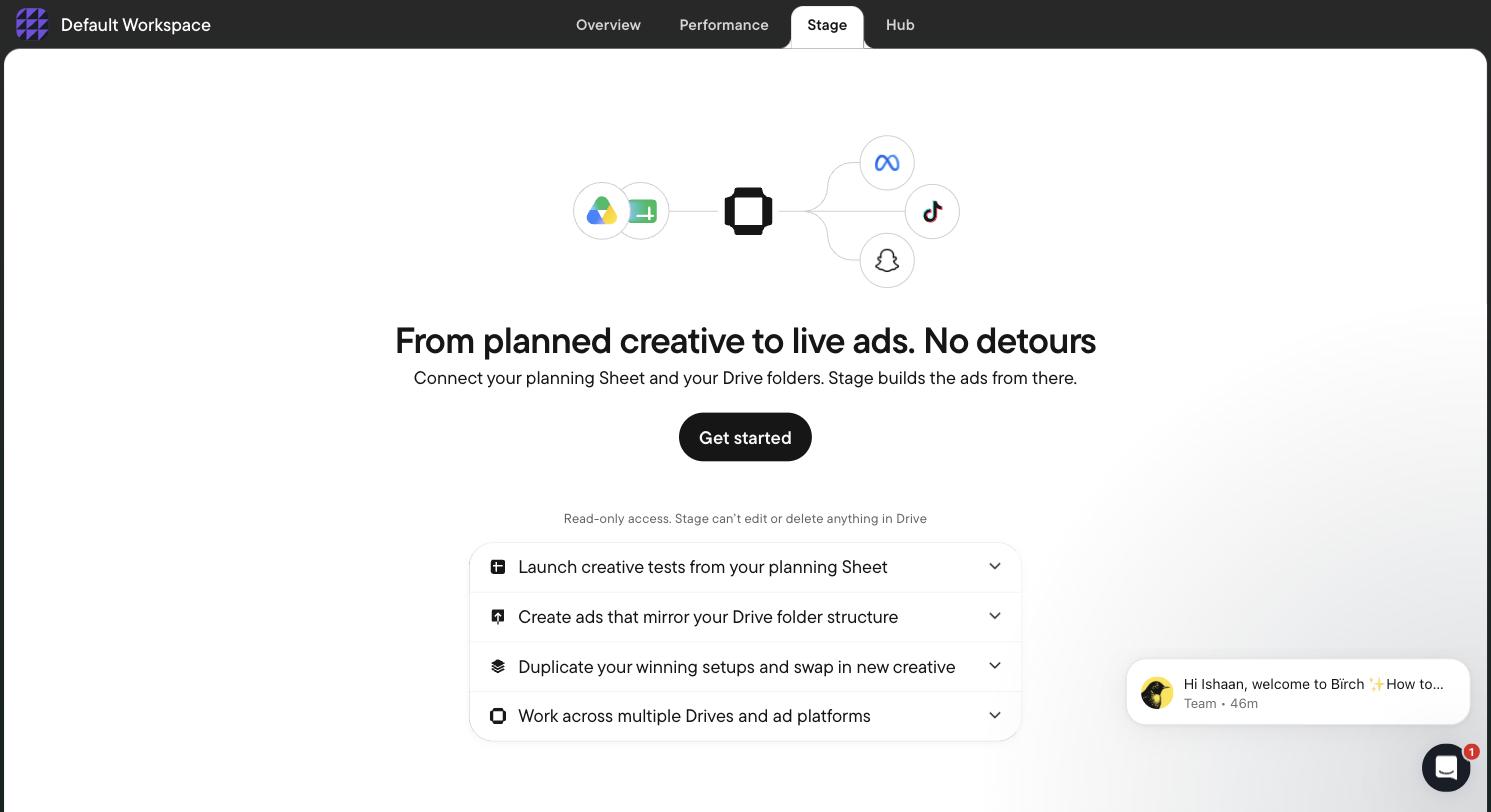
Birch Stage: a Google Sheet plus a Drive folder becomes a bulk ad launch. Screenshot from our trial account, 30–31 July 2026.
The third is Hub, a server-side first-party Signals Gateway — in other words, owning your own conversion pipe rather than relying on a browser pixel.
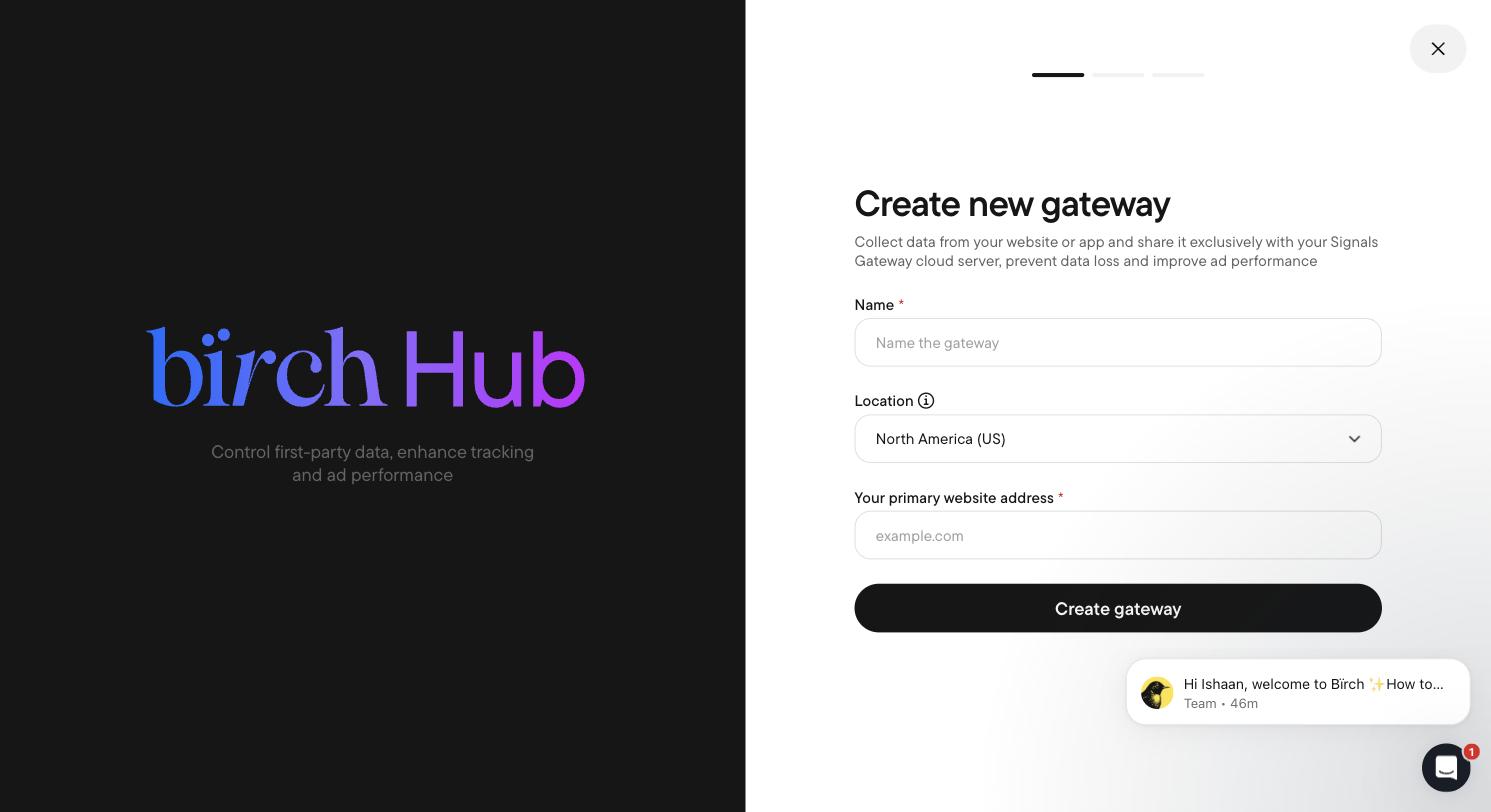
Birch Hub, its server-side first-party tracking product. Screenshot from our trial account, 30–31 July 2026.
Read those three products together and the thesis is obvious: rules alone are no longer a business, so the value moved to launch throughput and independent measurement. Two caveats we hit ourselves. First, Birch gates everything on connecting a live ad account — no sandbox, no demo data. The rule builder is unreachable until you connect, which is exactly why we cannot tell you how well its rules work.
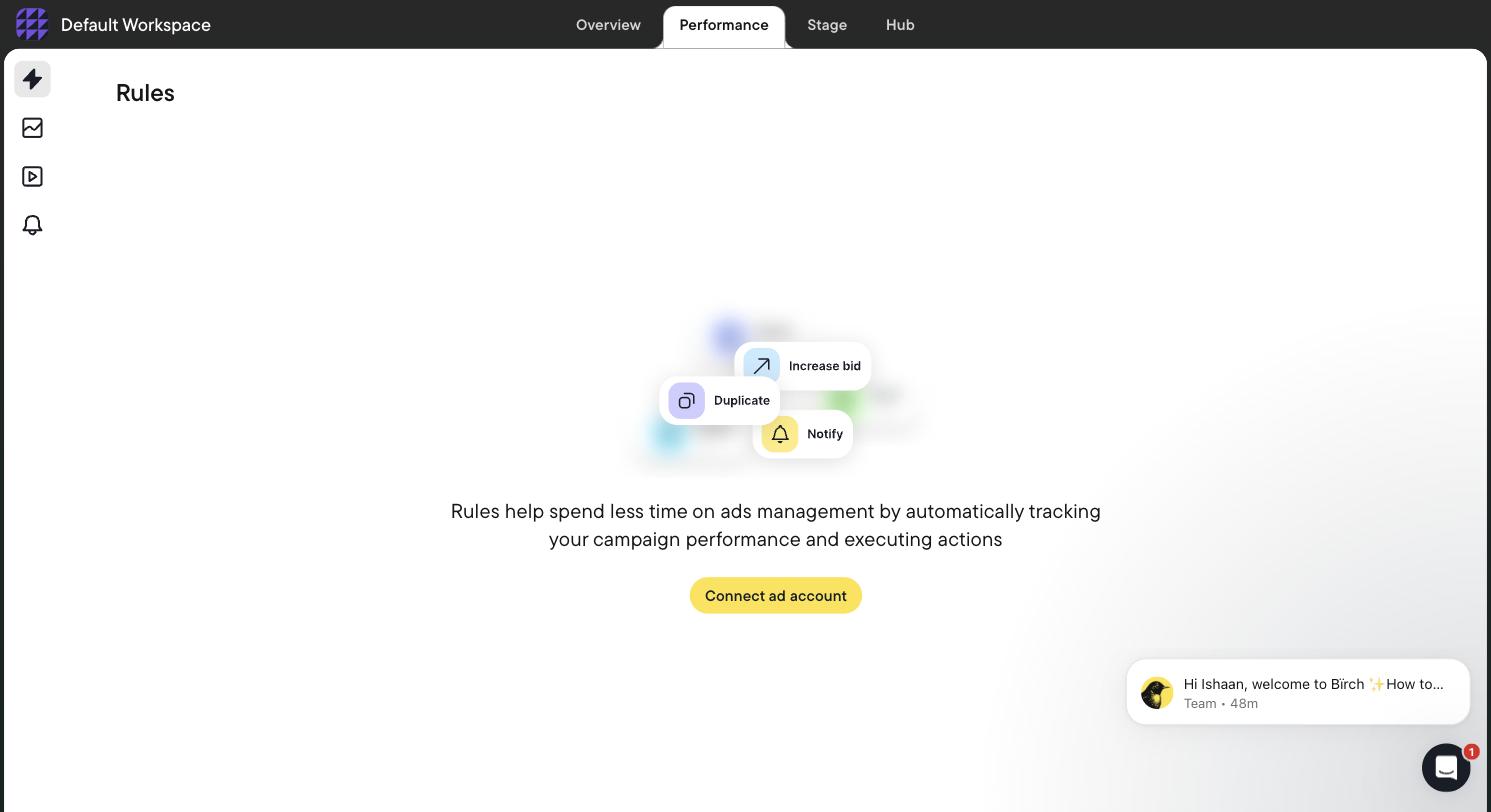
Birch’s Rules screen as we found it: fully gated behind “Connect ad account”. Screenshot from our trial account, 30–31 July 2026.
Second, pricing is tiered on your monthly ad spend, and automated rules are not in the $49 Essential plan. Essential covers workspaces, post boosting, reports, the activity page, Slack and email support. Automation, Explorer, Launcher, Stage, custom audiences and the Sheets, AppsFlyer and Hyros integrations are Pro-only.
| Monthly ad spend | Essential (no rules) | Pro (rules, Stage, Explorer) |
|---|---|---|
| Up to $10K | $49/mo | $99/mo |
| Up to $30K | $149/mo | $249/mo |
| Up to $75K | $299/mo | $499/mo |
| Up to $150K | $499/mo | $799/mo |
| Up to $300K | Not offered | $1,299/mo |
| $500K+ | — | Enterprise quote |
Read directly off Birch’s in-app billing slider at every tier, 30–31 July 2026. Annual billing is 12 months for the price of 11. Overages are charged via Stripe if you exceed your tier, and on trial expiry rules and reports are disabled rather than deleted.
Note what that table means. Every “Revealbot from $49” article is misleading for anyone arriving for the rules engine, and the tool you buy to control spend charges you more as you spend more. Birch lists 12 integrations — Meta, Google Ads and Drive, Snapchat, TikTok, YouTube, Analytics, Sheets, Slack, AppsFlyer, Adjust (beta), Hyros, Wicked Reports — with no Microsoft, no Amazon and no LinkedIn. We keep a fuller breakdown in our Revealbot alternatives page.
The honest case for buying nothing
If every line below is true for you, skip the third-party layer. You will not get your money back on it.
- You advertise on one platform only.
- Spend is under about $10,000 a month.
- You run fewer than five campaigns.
- You launch new creative monthly, not daily.
- You do not need deduplicated reporting because there is nothing to deduplicate.
- You are disciplined enough to check the account weekly and pause things yourself.
At that shape, the native AI plus a calendar reminder beats a $99/month subscription. Use a budget calculator and a ROAS calculator and keep your money.
How to decide, step by step
- 1. Count your platforms. One platform means the case for an external layer is weak. Two or more and it gets strong fast.
- 2. Write down your true monthly ceiling — the number above which you would be genuinely unhappy.
- 3. Open your billing history and check whether any month exceeded it. If yes, you have already found your reason.
- 4. Add your platforms’ reported conversions together, then compare that to actual orders or booked jobs. The gap is your double-counting.
- 5. Count how many distinct ad creatives you shipped last month. Under ten, a bulk launcher is not your bottleneck.
- 6. Time yourself doing one weekly review across all accounts. Multiply by four. That is the labour a tool has to beat.
- 7. Price the candidate tools at your actual spend, not their headline tier, and confirm the feature you want is in the plan you priced. Birch is the cautionary example: rules are not in the $49 plan.
- 8. Check whether the pricing scales with your ad spend. If it does, the vendor is not incentivized to tell you to cut budget either.
- 9. Check who owns the ad account. If a provider runs your campaigns inside an account it owns, you cannot leave with your history — see managed ad accounts explained.
- 10. Ask whether you can evaluate the product before connecting a live account. Optmyzr let us in unconnected. Birch did not.
- 11. If you link a manager account, read what the tool warns you about. Optmyzr’s MCC-link dialog makes you type CONNECT, warns that Google auto-emails everyone with account access, and states it is not recommended for agencies without explicit client approval. That is good disclosure, and it is worth understanding what an MCC link grants.
- 12. Check the exit before the entry: what happens to your rules and reports when the trial or the subscription ends, and whether anything you built leaves with you.
- 13. Decide what you are actually buying: rules, launch throughput, reporting, or a spend guardrail. If the answer is the guardrail, that is the job an AI ad management layer exists to do. If you cannot name it in one word, do not buy it.
Where AdFlint sits, stated plainly
We build AI ad management for the small advertiser who ended up on both platforms and does not want a retainer. It writes, launches and optimizes Google Ads and Meta ads, holds a hard budget cap, takes 0% markup on ad spend, and runs inside an ad account you own through your own OAuth connection — we do not pool customers into a provider-owned account. There is a 7-day free trial, and the plan ladder tops out at $30,000/month in managed spend, so if you spend more than that, the tools above are a better fit than we are.
Our public demo needs no account and no ad account connection. It wrote, graded and rewrote an ad in about 22 seconds and produced both a Google and a Meta preview.
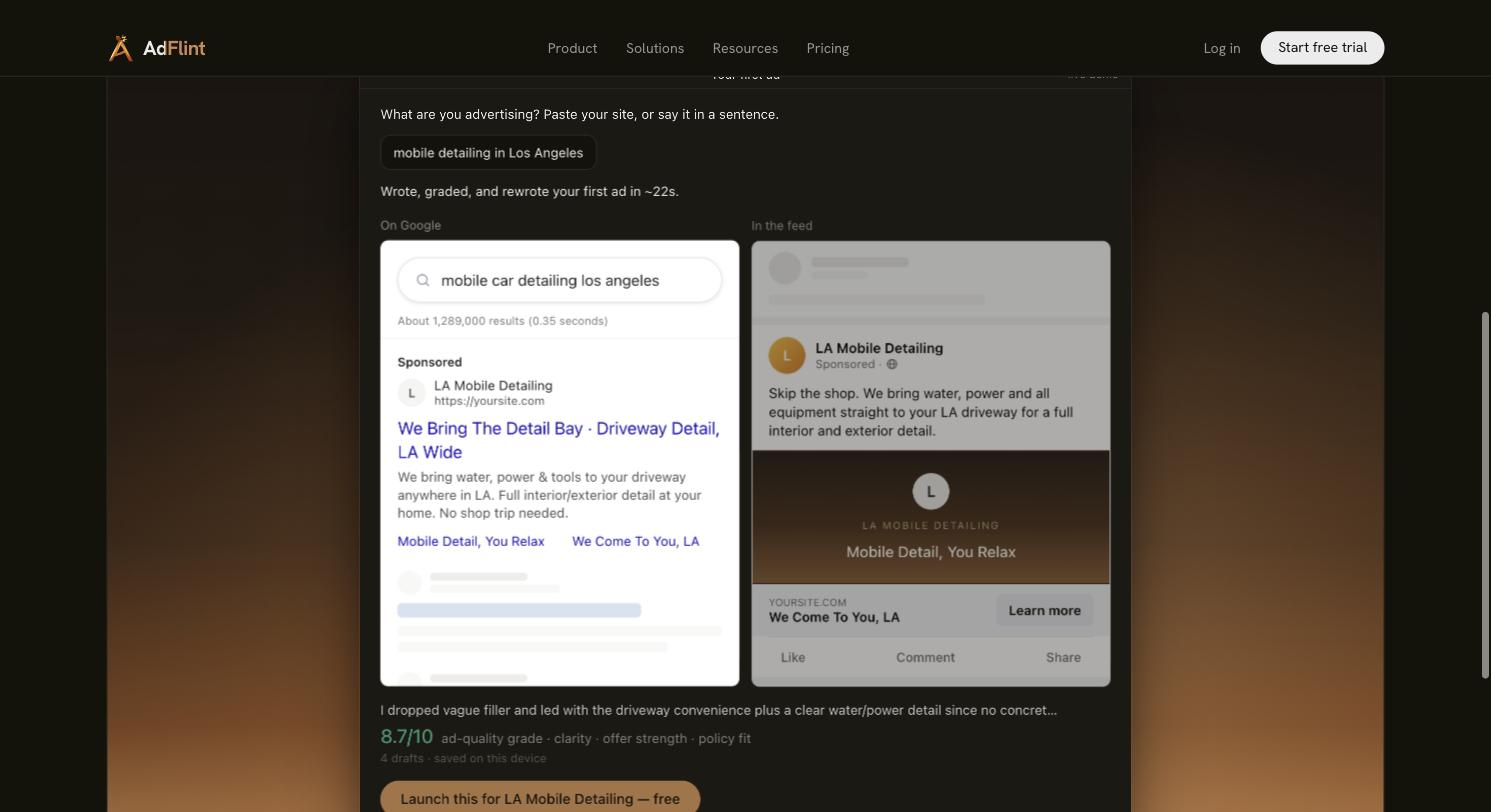
AdFlint’s live first-ad demo from the input “mobile detailing in Los Angeles”. Four drafts, self-graded 8.7/10 on clarity, offer strength and policy fit. Captured 31 July 2026.
One limit we will state rather than paper over: we have not run sustained live ad spend of our own. Our own Google Ads manager account sits at $0 spend, so we publish no campaign performance numbers, no ROAS figures and no case studies.
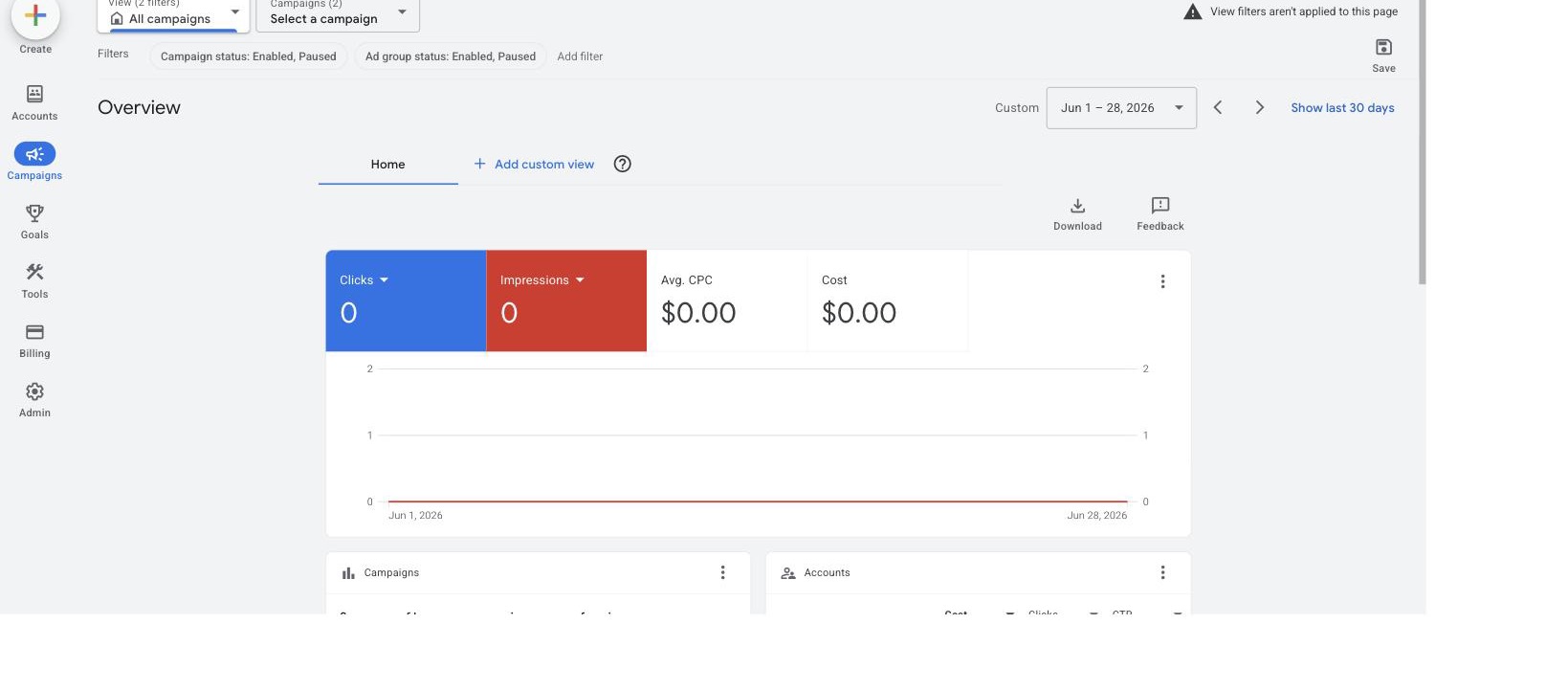
Our own Google Ads manager account overview, showing $0 spend. We are publishing it so nobody has to take our word for the limit above. Captured 31 July 2026.
Judge the product on what you can see yourself — the demo, the pricing, and how it works.
The one-line version
The platforms won the optimization argument. They did not win the control argument, the cross-platform argument, or the measurement argument, and they structurally cannot. Buy a third-party layer for those three things, or do not buy one at all. If you are a small business running both networks and the honest checklist above did not let you off the hook, start with our AI ad management software comparison and pick on control, not on claimed optimization gains.
Related guides
Google Ad Manager vs Google Ads: What's the Difference?
Google Ad Manager is for publishers who sell ad space; Google Ads is for advertisers who buy ads. A side-by-side table, a 30-second test and quick answers.
Can ChatGPT or Claude Manage Your Ad Accounts?
On Meta, yes: its official ads MCP server can create and edit campaigns. On Google, not yet: its official server only reads. What each path needs.
How Long to Get a First Ad Live, Tool by Tool
We ran the stopwatch on Optmyzr and Birch signup in July 2026. Where each one walls you off, and why time-to-see-the-product is not time-to-a-real-ad.
Skip the learning curve
AdFlint writes, launches, and optimizes Google and Meta campaigns inside the ad account you own — you approve every ad, and hard budget caps protect your spend. 7-day free trial.
Free tools: ad copy generator, ROAS calculator, budget calculator · ads by industry