What a PPC Retainer Actually Buys You Each Month
A PPC retainer buys hours. That is the whole product. Not software, not access, not a relationship — hours of a person’s attention on your account, plus the overhead of billing you for them. Every listicle that sells you a “dedicated account manager” is describing a quantity of labor it refuses to quantify.
So quantify it. Below: a single-advertiser retainer broken into its real line items with an estimate of how long each takes when it is actually done, two ways to check whether it is being done at all — change history in Google Ads, edit history in Meta Ads Manager — and the five questions that are hard to deflect.
The line items, and what each one really costs in time
Be clear where these numbers come from: they are our own reasoned estimates, built by breaking the job into tasks and putting a duration on each. They are not audited agency timesheets — we do not have access to anyone else’s. Treat the table as a sanity check to argue with, not a benchmark. Assume one advertiser, Google and Meta, mid-four to low-five figures of monthly spend, past its first month.
| Line item | What it actually is | Estimated time / month | How you notice it was skipped |
|---|---|---|---|
| Onboarding audit | Conversion tracking verification, account structure review, search term backlog, competitor scan, baseline numbers written down | 3–6 h, month one only | Nobody ever showed you a written baseline, so no later report can be compared to anything |
| Search terms & negatives | Reading the search terms report, adding negatives at the right level, promoting winners | 2–4 h (20–45 min weekly) | Your negative list has not grown in months; irrelevant queries keep spending |
| Bids & budgets | Target CPA/ROAS nudges, budget shifts between campaigns, pacing against the month | 1–3 h | Budgets are identical to the day of launch; one campaign is capped daily while another underspends |
| Creative production & testing | New headlines, descriptions, images, video cuts, plus actually launching them as a test with a stopping rule | 3–8 h, the biggest variable | Same three ads since launch; on Meta, creative fatigue tends to show up as rising frequency and falling CTR |
| Landing page input | Message-match notes, form friction, mobile speed, tracking on the thank-you page | 0–2 h (often zero) | Ads are optimized endlessly while the page has not changed in a year |
| Reporting | Pulling numbers, writing the commentary, building the deck | 1–3 h templated, more if bespoke slides | The report is a platform screenshot with no interpretation and no next actions |
| Account management overhead | Calls, email threads, internal handoffs, invoicing, scheduling | 2–4 h | You will not notice, because this is the one line item you experience directly. Every other row is invisible unless you go looking |
Provenance: our own task-by-task estimates for a steady-state two-platform account — reasoned, not measured, and not drawn from anyone’s timesheets.
Add the ongoing rows and a steady-state month lands around 9–24 hours — the sum of the low ends and the sum of the high ends in the table, nothing more. That range is worth holding in your head, because it converts an opaque retainer into an hourly rate you can judge.
Turn your retainer into an hourly number
Take your monthly fee and divide it by the hours you believe are being spent. Illustrative arithmetic only — substitute your own fee:
- A fee of $1,200 across 20 hours is $60/hour. That is a working relationship.
- The same $1,200 across 6 hours is $200/hour. That may still be fine if those six hours are senior and surgical.
- The same $1,200 across 2 hours is $600/hour for keyword hygiene. That is what a dormant account costs you.
The number itself is not the verdict. A senior strategist making four decisive hours count can beat a junior filling twenty. But you cannot make that judgment without knowing which of the three rows you are in, and the retainer model is structured so that you rarely find out.
The pricing models, described without inventing figures
There are four common structures, and the structure tells you where the incentive points. A flat monthly retainer is predictable and rewards efficiency, which also means it rewards doing less. A percentage of ad spend scales the fee with your budget, which rewards recommending a bigger budget. A hybrid puts a floor under the fee and a percentage above a spend threshold. Performance or commission pricing sounds aligned but needs attribution both sides trust, which is usually where it falls apart. We are not quoting market rate cards here: we have not surveyed agencies, and numbers passed between blog posts without a named source are how this category got untrustworthy.
How to check the account yourself, in Google Ads
Google logs edits. You do not need your agency’s cooperation to read the log, only view access to the account — which you should already have, and if you do not, account ownership is a bigger problem than cadence.
- Sign in to Google Ads with your own login, at the account level.
- Open the Campaigns menu in the left navigation.
- Click Change history.
- Set the date range to the last full calendar month, so it maps to an invoice.
- Look at the total row count first. This is the crude signal: a handful of rows for a month you paid for is most of the story already.
- Use the change-type filter to split the rows: budgets, bids, keywords, ads, targeting, status changes. A month of nothing but status toggles is not management.
- Read the Changed by column. Changes attributed to Google’s own automation or to auto-applied recommendations are not your agency working. Neither are the ones made by a script that runs nightly.
- Expand a few rows and read the old and new values, not just the labels. A row that reads “budget changed from $50.00 to $50.01” is a change in the log and nothing in the account; count those separately from real decisions.
- Filter by user and see how the work splits. A month where every row belongs to one junior login, in one sitting, is a different service from what was sold on the pitch call.
- Download the table and repeat for the previous two months. Trend beats snapshot: one quiet month is a holiday, three is a pattern.
Two caveats. Change history only goes back 2 years, per Google’s own Change history help page, so anything older cannot be audited there. And the log does not capture everything a good manager does: a search terms report read carefully and closed with “no change needed” leaves no row. Absence of changes is evidence, not proof. Hundreds of trivial changes are also evidence, of a different failure.
How to check the account yourself, in Meta
Meta’s equivalent is per-object edit history plus an account-level activity log. Meta renames and moves these surfaces often, and we are describing them from the structure of Ads Manager, not from a screenshot of today’s menu — so if a step below does not match what you see, search Meta’s Help Center for “account activity history” and trust that over this page.
- Open Ads Manager and pick the ad account, not the filtered campaign view you were sent a link to.
- Go to the Ad sets tab and select the ad set you care about.
- Open the row’s more-options menu and choose the edit-history view. You get who changed what, when, and the before and after values.
- Do the same on the Ads tab. This is where you find out whether new creative was genuinely shipped or an existing ad was renamed.
- For the account-wide view, open the activity history from the account settings area and filter by date and by person.
- Cross-check creative claims against delivery: an ad created on the 3rd with almost no impressions was launched and abandoned, not tested.
- Add the frequency column to your main ad set over a 30-day window. Rising frequency against unchanged creative is the clearest sign nobody is producing.
- Export the delivery table alongside the edit log and line the two up by date. Claims in a report should have a matching row in one of them.
Healthy cadence versus a dormant account
| Signal | Being managed | Dormant, still billed |
|---|---|---|
| Negative keywords | Grows most weeks, then slows as the account matures | Unchanged since onboarding |
| New ads or creatives | A meaningful batch shipped each month with delivery behind it | Nothing new since launch, or renames only |
| Budget and bid targets | Moved deliberately, with a reason you were told in advance | Identical to day one, or moved by pennies |
| Reporting | States what was tested, what was learned, what happens next | Metrics with no decisions attached |
| Change history shape | Clusters around review days, mixed change types | Near-empty, or a burst two days before the invoice |
Provenance: a reasoned rubric, not a measured study. It is derived from how Google and Meta log changes and what those logs can and cannot show. No sample size, no survey and no client data are claimed here.
Five questions that are hard to deflect
Ask these in writing, on email, so the answer is a document. Each one has a checkable answer, which is what makes it awkward for an account that has been coasting.
- How many changes did you make last month, and which ones? The good answer is a number and a categorized list, offered without friction, because it is a two-minute export. The deflection is “we focus on strategy, not change counts” — credible only if the strategy was written down somewhere you have seen it.
- What is the negative keyword list up to, and what did you add last month? A single total plus the recent additions. The additions matter more than the total: a list inherited at onboarding and never touched still has an impressive count.
- How many new creatives shipped, and how much delivery did each get? Ties production to reality. Creative that shipped with almost no impressions was not a test, and you can verify both halves yourself in Ads Manager.
- What did we test, and what did we learn? The strongest question in the list. A real answer names a hypothesis, a result, and a decision — including tests that failed. An account with no failed tests in six months is an account running no tests. If you want to check whether a claimed winner was actually significant, put the numbers through an A/B test significance calculator.
- What would you do with 20% more budget, and what would you cut first if I removed 20%? The best diagnostic, because it cannot be answered from a template. Someone in the account weekly answers immediately and specifically: which campaign, which geography, which audience, roughly what it should return. Someone who is not says “we would scale what is working.” Work out what those swings mean for you first with the ad budget calculator.
One follow-up that costs nothing: ask for the report to include the change count from now on. A team doing the work will shrug and add a column. The reaction to the request tells you more than the column ever will.
What the fee is actually for — and when software covers it
Read the line items again and split them into two piles. One pile is judgment: what the offer should be, which market to enter, whether the landing page is lying about the product, when to kill a campaign that is technically profitable but strategically wrong. That pile is worth paying a human for, and a good agency earns its retainer there.
The other pile is maintenance: search term hygiene, pacing, budget reallocation, rotating creative before fatigue, watching for disapprovals. That pile is rules and repetition, it is the majority of the hours in the table above, and it is what software is genuinely good at — not because software is clever, but because it does not forget the account exists in a busy week.
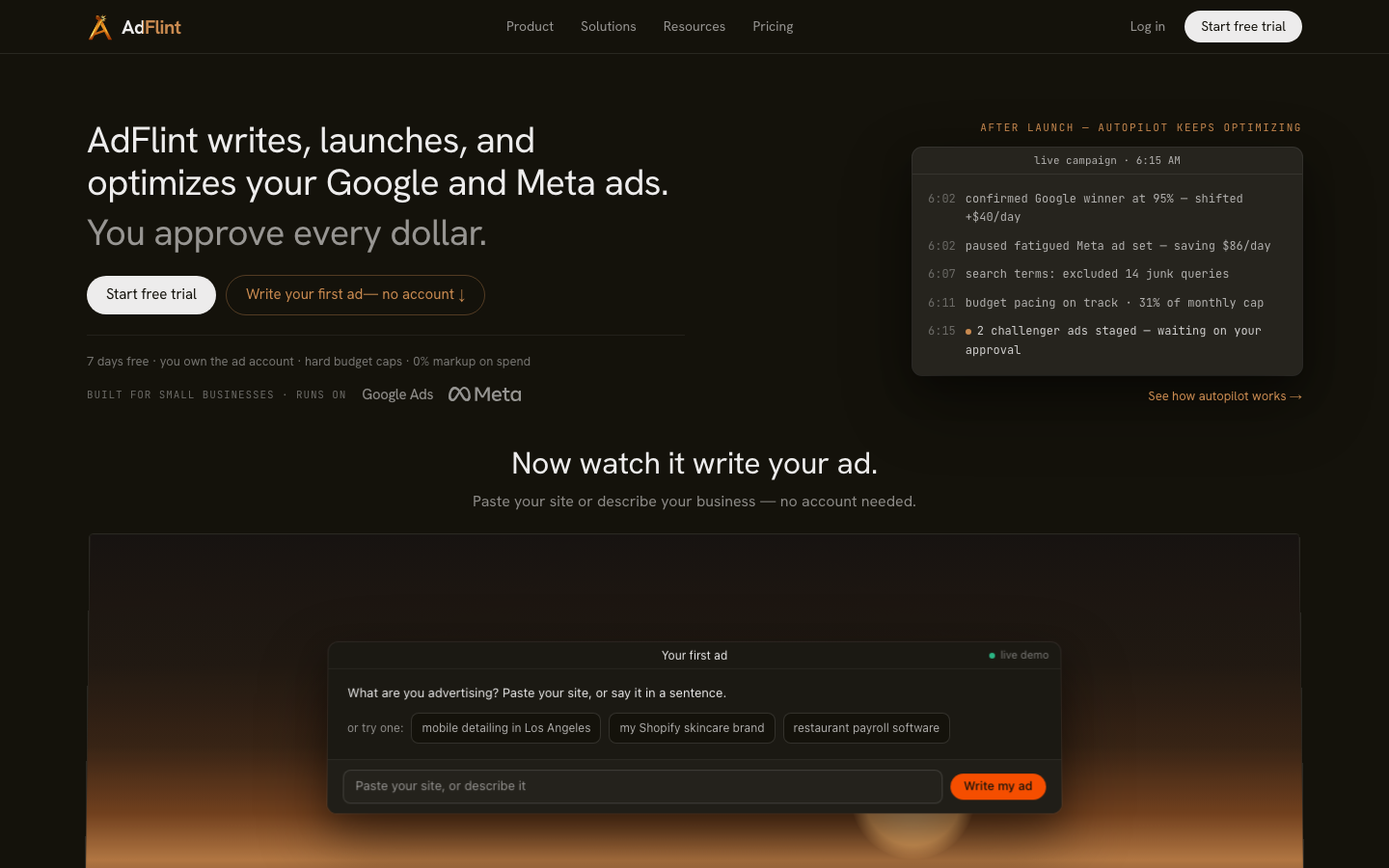
AdFlint’s own autopilot view: our product interface, not a performance result. We publish no ROAS, client results or case studies.
Our AI ad management layer sits in that second pile. Qualitatively: it drafts and launches campaigns on Google and Meta, keeps optimizing after launch rather than at launch and then never again, enforces hard budget caps so a runaway campaign cannot outspend its limit, and works inside your own ad account through connected OAuth — we do not pool customers into a provider-owned account, so the change history you audit stays yours. We do not publish an adjustments-per-week figure for it: we have no product analytics measuring that, and a number we cannot stand behind is worse than no number.
On price, the comparison to a retainer is the point of running ads without an agency. Our self-serve ladder is a flat monthly fee with 0% markup on ad spend — your card pays Google and Meta directly. Launch is $40/mo up to $1,000 of monthly ad spend, Growth $89 up to $2,500, Scale $109 up to $5,000, Accelerate $119 up to $10,000, Performance $219 up to $20,000, Premium $319 up to $30,000, and above that it is quoted. Monthly plans start with a 7-day free trial. Our done-for-you Managed tier is priced differently, and that difference matters: a monthly fee plus a share of the ad spend it manages, priced per account and set up by our team, because that tier includes human work, which is exactly the thing that does not scale for free. So the flat, 0%-markup claim applies to the self-serve plans, not to Managed. Full detail is on pricing.
For context on the wider tool market, we signed up to two well-known third-party ad tools on 30–31 July 2026 and clicked through them ourselves. Birch, formerly Revealbot, prices on spend rather than flat: its own in-app billing slider showed $49/mo Essential and $99/mo Pro at up to $10K of monthly spend, rising to $499 and $799 at up to $150K, with automated rules excluded from the Essential plan entirely. Optmyzr made us pick a monthly-spend bracket during signup, from “Under $10,000/mo” to “$500,000+”, but never showed us a price card. Both limits stand: those figures are what the products displayed on those two days, and we never connected a live ad account to either one, so we have no view at all on their optimization quality.
The decision, plainly
Keep the retainer if the change history shows real work, the reports name tests and learnings, and the twenty-percent question gets a specific answer. That is a partner, and the fee is the cheapest part of it.
If the log is thin, do not start by firing anyone. Send the five questions and give them a month with the change count in the report. Some accounts wake up. If nothing changes, you know the maintenance pile is not being done, and the question becomes whether to pay a human to restart doing it or hand it to something that does it on a schedule. That is the case we make on ads without an agency, and the side-by-side is on AdFlint vs agencies. If you are leaning toward keeping a human, hiring well is its own skill — the questions above work just as well when you are interviewing someone to run Google Ads, and they are much cheaper to ask before you sign than after.
Whichever way you go, keep the ad account in your own name and keep view access to the logs. Everything in this article stops working the moment somebody else owns the history — which is why how managed ad accounts are structured matters more than the monthly fee, and why every option on our no-agency page assumes the account is yours.
Related guides
Ad Agency vs AI Ad Manager: How to Choose
They solve different problems. An agency sells judgment and creative; an AI ad manager sells execution. How spend, complexity and ownership decide.
Who Owns Your Ad Account, Pixel, and Audiences?
Whoever the platform bills owns the account. Connected versus pooled models, what you lose on exit under each, 12 questions to ask, and a 15-step audit.
How to Fire Your Ad Agency Without Losing Data
Audit and export before you give notice, never after. An 18-step exit runbook: confirm who the platform bills, take ownership, revoke access last.
Compare the options
Skip the learning curve
AdFlint writes, launches, and optimizes Google and Meta campaigns inside the ad account you own — you approve every ad, and hard budget caps protect your spend. 7-day free trial.
Free tools: ad copy generator, ROAS calculator, budget calculator · ads by industry